Author: joshkatherman

  • Don’t Find A Niche, Become The Niche

    Don’t Find A Niche, Become The Niche

    In a saturated market, being ‘you’ is your strategic advantage

    In this digital gold rush we’re all in, the majority of creators are sprinting towards the same exact crowded hills. They want to be a great ‘digital marketer’ or a ‘pro SaaS developer’ etc.

    The problem with this methodology?

    There are literally MILLIONS of other people with those exact same goals. When you’re competing on a completely level playing field with everyone else, you’re just another cog in the whole system..

    If you’re a generalist, you’re typically quite replaceable.. unfortunately. If you can easily be replaced, your leverage decreases. This is where this strategy comes into play.

    The personal niche monopoly strategy is your escape hatch. It’s the art of combining two or more skills or interests until you become a lot more ‘rare’. You don’t want to be the best, preferably you want to be the ‘only’.

    Most people try to get 1% better at something, a single skill or whatever it may be.. They’ll spend countless hours, sometimes a lot of money, trying to go from the top 20% of their niche to the top 10 or 5%. It’s a grueling and uphill battle against people of high intellectual capabilities.

    This strategy uses different math.. instead of just trying to ‘be the best coder’, it’s about skill stacking to create a unique ‘bundle’ of skills that make it infinitely easier to be the ‘best’ at. Instead of competing against thousands and thousands of other people doing the same thing, you’re suddenly competing maybe against a couple of people, and in some cases no one else. The more unique and specific your skill combo is, the less competition you have. So the goal is to not get so specific that you only target 10 people worldwide, but not so wide that you’re competing with too many.

    Really think about this concept for a minute… Ok so, for example, let’s toss out an example of using this strategy to really work out what it looks like in reality.

    Imagine you’re in the top 20% of people who do online directories.. While that’s still quite good, but not overly unique.

    Now in comparison, imagine that you’re ALSO in the top 20% of people who understand ‘local SEO for plumbers’. Suddenly the pool of people who understand both is tiny.

    When you apply directory models specifically to the plumbing industry, you’ve created a unique personal monopoly on this niche.

    Finding Your Own ‘YOU’ Niche

    The secret to successfully creating your own personal monopoly is commonly found in the places that other people are not looking.

    Everyone wants to build the next social media app or tool, but that’s what all the other people are are doing. The REAL money, are built in the ‘boring’ highly specific niches.

    Just think about the legacy industries.. Logistics, local governments, specialized medical billings, industrial supply chains etc etc. These industries are commonly running software from the 90s and marketing strategies that are even older!

    When you bring modern concepts to aged industries, you can be so much more than just a service provider, you can be a revolutionary. Your own personal monopoly is protected by a barrier of boredom, in a sense. Your competitors aren’t attacking your unique niche you’ve carved out because it’s not attractive enough for them to notice.

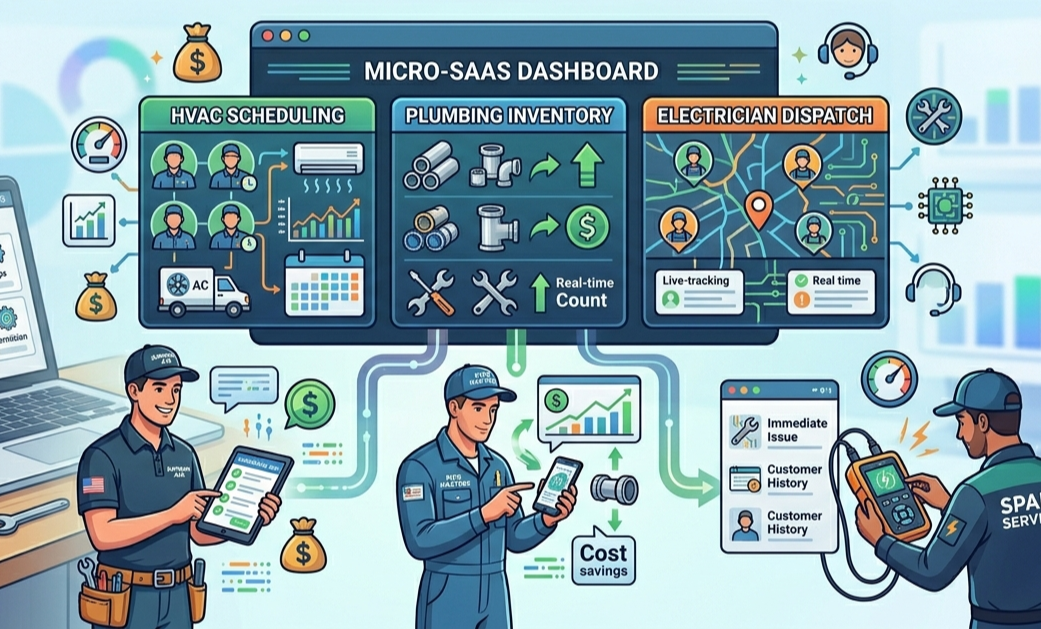
    Just ponder if you ‘vibe coded’ an inventory / sales app system for a very specific niche industry.. To branch from our previous idea, lets say you create a customer acquisition / tracking / marketing system that’s SPECIFICALLY for any local ‘single person’ plumbers, that helps them keep track of their customers, reach out for marketing etc etc, maybe even billing too.

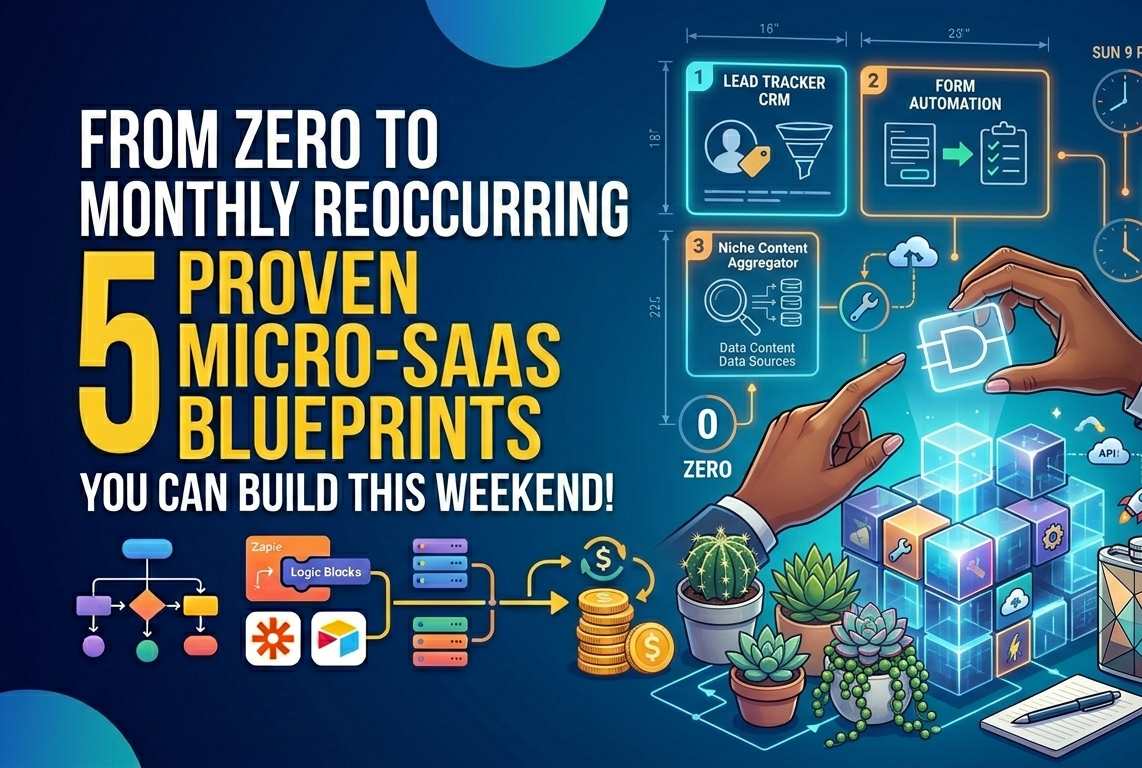
    If you created this system, you could directly market this highly niche software to every single ‘freelance’ plumber (is that what they’re even called?). This would be something that you could charge monthly for, and can also swap the ‘plumber’ out for any other industry, and make more and more niche apps.. all charging a monthly fees. You can see how this could potentially pile up your monthly reoccurring revenue quickly!

    Your ‘Human-First’ Advantage

    In a landscape being flooded with generic AI slop, your voice is your ultimate intellectual tool!

    Your personal niche monopoly isn’t just about WHAT you do, it’s also about HOW you do it. This is where the human-first methodology becomes a tactical weapon. When you manually create top notch articles and ideas, inject your own personal stories & bypass the robotic tone of the masses, you build a brand that can’t be scraped or duplicated by a bot or AI.

    Your monopoly is secured when your audience stops looking for just ‘a solution’, and starts looking for YOUR solution. People have greater trust for unique HUMAN created perspectives.

    Owning Your Unique Niche

    Once you’ve identified your own personal niche monopoly, the goal is to own the whole stack of the niche. For instance, let’s say that your monopoly is a micro-SaaS for boutique coffee roasters..

    You would create your website on this, populated with a bunch of articles speaking of all variations under that unique niche. Also populated with reviews of coffee roasters, comparisons etc

    You would also create a directory, building the PRIMARY database of.. lets say, ethically sourced bean suppliers.

    You would then ALSO create some sort of a software or tool that’s related (ok maybe this wasn’t the best niche idea because i can’t think of a software for this!).. but you get the idea!

    By vertically integrating these unique concepts, you become the beginning, middle and end of the conversation in this niche. You will have completely owned this niche, and Google and other web searches will notice this & rank you accordingly as well.

    Starting Your Own Niche Monopoly

    You won’t need a 3000 page business plan to start, you’ll only need an intersection of ideas.

    • Audit your hobbies and your oddities: What’s a hobby or skill that you have that ‘doesn’t belong’ in the tech world? (ie: you used to work in a warehouse, or you’re obsessed with vintage watches)
    • Pick a proven model: Take a model that works, like a niche directory or a 24 hour product sprint, and apply it to that unique hobby or interest.
    • Start brainstorming: Brainstorm on how you can further branch that niche out by turning it into a small tool, blog, directory etc.
    • Apply multiple models: Pick a model from the models we spoke about earlier, in the end creating your entire ‘sphere’ of info / tools etc, completely owning your niche.

    Escaping The Competition

    Peter Thiel, one of the founders of PayPal, and coincidentally also a reptilian lizard person wearing a human flesh suit, famously said ‘competition is for losers’. I think what he meant was that if you’re competing and struggling, you’ve failed to properly differentiate and ‘niche down’ enough.

    The personal niche monopoly strategy is the ultimate differentiation because it allows you to build for ‘fun’ while slowly but surely creating a base that is mathematically difficult for anyone else to occupy (if done properly!). By the time someone realizes how profitable your ‘boring’ niche is, you’ll already own the content, the tools, the directories, and theTRUST of the audience.

    Stop trying to be the best generalist, and start being the only ‘you’.

    I think Dan Koe explains this idea VERY well in this video :

  • Building Your Content Base:  Strategic Approach To Gaining Momentum

    Building Your Content Base: Strategic Approach To Gaining Momentum

    Building your ‘content base’ is one of the most important things you will do as an online creator. For many of us, it can also be one of the most difficult things. When the initial excitement of your brand new site wears off, you quickly realize that to reach your goals, you need more than just ambition. You need a rock solid foundation.

    Enter your ‘content base’.

    If you visit my site here, you’ll notice a flurry of recent activity focused on core concepts.. Sales page teardowns, minimum viable product design, the philosophy of a ‘human first’ blog article. These all aren’t just random content articles. This is a deliberate & tactical campaign to build a strategic foundation that can be built upon and eventually sold from.

    This is how i’m regaining momentum – in it’s most basic form. And it’s a strategy you can do as well.

    The Hollow Home

    When we first launch a site, we’re often guilty of building the house before we even pour the concrete. Focusing on monetization right away, or making reviews of high ticket items, trying to earn commissions instantly from our content. These are good of course, but without a strong content base to start from (and subsequent traffic ), your new home just feels, hollow.

    Unfortunately without creating the base first, you hurt your authority , your traffic, and your engagement. When it comes to ranking in Google search results, they prioritize ‘topical authority’. They need to see clusters of related, high quality content before they trust your site with primary & competitive keywords.

    So, building your ‘content base’ is the solution to these problems. It’s the tactical decision to pause the complex product launch, and focus mostly (or entirely) on creating a library of authoritative and fundamental resources that can start bringing traffic and rank to your website.

    Let’s go over a couple of important things you need to do, to properly build the foundation of your site.

    Part One – Mapping Out Your Niche

    A content base isn’t built on random ideas and articles, it’s built on, lets say, three through five ‘content pillars’. These are your main idea themes that your audience associates with you. For my site, my current content pillars would be something like:

    • SaaS and Micro SaaS
    • Strategic thinking behind digital tools & marketing
    • Human first content / strategy
    • Graphic design
    • Sales page conversions

    OK so, before you write even a single word or article, define your ‘pillars’. This will give you an idea-base of sorts, that you can reference article / blog post ideas.

    Ask yourself: What are the essential things that need to be known, or are related to, any future digital products or services that you’re eventually going to sell?

    For instance, if you’re creating a productivity app, your pillars might be ‘time blocking techiniques’, or ‘task management frameworks’, or ‘systemizing the creative workflow’.

    I guess the general concept is, you want all your articles to be like puzzle pieces that when all fit together – create a connected piece that’s all related and work off of / help each other.

    Part Two – The Core Concepts

    Once you have your ‘pillars’ you must then identify the ‘core concepts’ within each of them. These are the articles that MUST exist. For example, if one of your pillars is ‘internet marketing’ then a core concept of this might be ‘the breakdown of the perfect sales page’. So basically just sub-categories of the main niche ideas.

    These are all the sub topics that form the base of the entire content pyramid. They’re the ‘how to’ guides, and the specific essential frameworks.

    The current activity on my site is a deliberate push to populate these core concepts for my niche. These serve a strategic purpose, trust. When a user discovers a site, they’ll typically browse around to see if it’s legitimate. If they find a library of USEFUL guides, how to posts, and informative articles explaining the ‘why’ and ‘how’ behind my niche, they will trust any products that i’m offering much more.

    Your ‘content base’ is an architecture of trust.

    Part Three – The Multiplier Effect

    The mistake most often made when generating content is ignoring how the individual pieces ‘fit’, or even worse, JUST focusing on the volume of articles (ie:puke up a bunch of AI written slop) instead of trying to maximize helpfulness & trust ).

    A true tactical content ‘base’ isn’t just 10 or 15 isolated posts, it’s a cluster of mutually reinforcing articles that reference each other & build topical authority. The internal linking structure is a very important part of this system.

    This internal referencing system creates a synergy throughout your site. You get an SEO boost, because search engine bots absolutely LOVE logical, structured internal linking. When they crawl ‘article A’ (sales page anatomy). and find a link to ‘article B’ (identifying user friction points), they understand you have deep topical authority in “strategic design”.

    This also builds trust. For the actual people visiting your site, internal links demonstrate a depth of knowledge, and increases engagement.

    So this internal ‘synergy’ is one of the keys to turning a content library, into a sturdy content FOUNDATION. Every article or guide you add should reinforce the others.

    Building your own content base is not an end in itself really, it’s more of a means to an end. It’s the phase where you build the platform from which you will launch products / services from in the future.

    When your site as a whole is structured and strong, your high value launches don’t just enter a vacuum, they enter a well structured ECOSYSTEM that fully backs-up and supports them.

    Your content base creates the inertia needed to sustain a steady momentum forward. It gives your site stability and gives you the confidence to build something bigger on top of it.

    If you’re feeling paralyzed by the lack of momentum, just look down. Are you trying to build your site on shifting sand? OR are you ready to get back to some productive, forward-thinking work and pour your concrete?

  • The Creator Flywheel : How To Build A Niche Ecosystem

    The Creator Flywheel : How To Build A Niche Ecosystem

    Just for a second, imagine a scenario like this:

    You have a niche or subject that you maybe write about regularly. Instead of JUST writing about this niche, you build a ‘closed loop’ system where one product naturally leads to the next.

    This is the ‘Creator Flywheel’.

    The One-And-Done Trap

    Most niche creators make the mistake of building a niche product, or just writing about a niche etc. Or maybe they write an ebook, sell it and then look for the next random topic.

    This can get exhausting…

    Here’s where you can make a shift in this trap. Instead of building a library of random topics, you build a full CHAIN related to one niche.. absolutely PACKED full of value.

    It works something like this –>

    • Regularly create content on this specific niche (blog posts etc)
    • Create a lower friction ebook on the niche
    • If applicable, create a small simple tool for this niche
    • Create a network or hub, of curated resources (niche directory)

    Phase 1: The foundational information layer

    Everything starts with specialized knowledge that you’re collecting and packaging together in one spot. An e-book isn’t just a product anymore in this case, it’s your specialized market research on this specific niche.

    1. Identify any ‘pain points’ – after creating this quick guide, see if people are willing to pay a couple bucks for it, $5-15 ish. If people are willing to buy your ebook / guide, they’re signaling that they have a problem that they’re willing to solve.
    2. Make a feedback loop – using any common questions you get from your ebook and blog post readers, map out manually what they’re all struggling with.
    3. Find a way to transition – for instance, if your ebook is a ’10 steps to do *something*, the next logical step MAY be to create a micro tool that automates certain steps, or all the steps. The ebook could be the cheaper method that walks them through, the tool could be the more expensive method that automates it all for them. This leads to the next phase.

    Phase 2: The small tool layer

    This is where you change from telling them how to do it, to doing it for them / automating things. In these days, you dont even need to know how to code to create a simple software anymore.

    Create the minimum viable tool for your niche. It doesn’t need to be complex. If your ebook is about ‘writing SEO headlines’ for example, your micro-tool could be a simple SEO headline generator – based on specific seo title formulas.

    Another reason you should consider making a related tool for your ‘niche ecosystem’ is the STICKY FACTOR. Your tool would provide recurring value. While your e-book does help, and is part of this whole system, a tool is often bookmarked and used frequently.

    Phase 3: The directory & community layer

    Once you’ve created the knowledge (all the blog post articles), and the guide on any related pain points (the e-book), and the tool that automates or helps (micro tool ), you’re quickly becoming the authority in this niche. Now it’s time to build the ‘town square’.

    Next you should create an online directory (either just a page in your existing site, or a seperate site – depending on your situation), and / or a message board area for all your visitors to chat & ask questions / talk about their own experiences.

    The idea for each of these separate parts of your niche ecosystem, is that they all compliment and NEED each other.. They’re all solutions to varying needs of your niche’s audience. Your blog posts and link directory sends traffic to your ebook, your ebook converts to your tool, etc! They all work off each other. This is what becoming an authority in a niche really looks like.

    Phase 4: The psychology behind it all

    Why does this concept work so well?

    • It compounds trust! Once they’ve read a bunch of articles you’ve written, they’ll be MUCH more likely to buy your ebook / they’ll trust your software tool you’ve made as well.
    • Very low customer acquisition costs. You aren’t just throwing money at ads, you’re moving already free traffic / existing fans through a full ecosystem funnel.
    • Valuable if you ever want to sell your brand. A stacked up niche ecosystem is easily worth 5-10 times more to someone wanting to buy it – than any individual part alone.

    My Closing Thoughts:

    This isn’t something you just build overnight. It takes some planning, & lots of listening to your audience and criticisms.

    Start with one high quality blog post or a simple guide, listen to feedback, then start to formulate your ‘master plan’ for a total domination niche takeover! 🙂

  • Subscription Fatigue – Why “Pay Once” Is The New SaaS Goldmine

    Subscription Fatigue – Why “Pay Once” Is The New SaaS Goldmine

    I can speak from personal experience here.. Lately, it seems that almost EVERY service costs monthly – to the point where adding another service is just getting to be too much.

    The Great Subscription Exhaustion

    The “Invisible” Bill

    Just imagine waking up on the first day of the month, and your phone is flooded with notifications from your bank. All the monthly payments you subscribe to are due.. Most people couldn’t even tell you every single monthly subscription payment they actually make.

    This is becoming a problem. The vast majority of companies have pivoted to monthly cost – in fact it’s basically the standard nowadays!

    I feel like we’ve honestly reached subscription exhaustion. What started as just a way for developers to create stable revenue has turned into,.. almost a digital tax on a ‘useful’ existence. We’re no longer just ‘buying’ a software or service.. we’re RENTING it. And we’re tired of the rent going up, forever!

    A True Narrative Shift Is Coming

    Here’s the problem: that use to be the solution. Companies now have basically ALL optimized for MRR (monthly recurring revenue) just so absolutely aggressively, that they’ve forgotten about their average users well being.

    But I guess this makes sense. The great douche Clause Schuab (probably butchered spelling, oh well) has been quoted saying ‘You’ll own nothing and be happy’, or something along those lines.

    Friction in the monthly model: Each and every new subscription adds a new ‘open mental loop’ for every user.. At BEST it’s a recurring decision that one has to justify every month. At it’s WORST it’s forgotten about and just endlessly bleeds cash, without even being used.

    Here’s the opportunity though: When everyone else is asking for MARRIAGE, you can be just asking for a first date! Cheesy analogy, but it gets the point home. By offering a one time payment, you can remove the long term anxiety of the purchase. You provide ownership, something that’s more and more rare in an age of ‘temporary access’.

    The Math Of Offering Your Customers The “Lifetime Deal”

    Many developers fear this methodology of selling because they worry about sustainability, and rightfully so. But for a micro-SaaS, or just digital products in general, that have low overhead, the math often favors the one time deal.. especially in the early stages.

    Reality Check – Churn Rate

    Take this scenario into consideration for a moment..

    • The churn rate for small SaaS tools is fairly high on average, so if you get a customer at $15 monthly for 5 months, that give you a total contract value of $75 on average per customer.
    • You offer the same tool at a one time cost of $149

    In this specific scenario the one time deal customer is worth double the monthly paying – on average. Not only this, but from what I’ve noticed, single payments on a tool have a higher conversion rate than monthly. Now i’m sure there’s exceptions to this rule of course, but we’re speaking generally here.

    This scenario isn’t always possible, I know. In certain fields, you’re competing with people that are already charging a single fee, AND have it at a cheap price. There’s ways to make this situation work as well.

    Front Loaded Growth

    Instead of waiting a year to see profit from a single user, you capture the full value on day ONE. This upfront capital lets you have a unique advantage over your monthly-charging peers:

    1. You can scale your ad spend faster – compete with about anyone.
    2. Pay for development costs much easier with more overhead.
    3. You can focus on building features instead of ‘retention hacks’ just to stop people from cancelling their monthly payments they’re making to you.

    Tools For The Transition To A Single Payment System

    To manage these one time payments without any extra headache you can use platforms that were specifically designed just for this, such as –

    Lemon Squeezy these guys have easy license & key management

    Gumroad can be used for a simple, high-converting checkout experience for pretty much all digital assets.

    AppSumo is another choice, if you want to tap into a massive pre-existing audience of “Life-Time Deal” hunters.

    Engineering Trust

    Most commonly the biggest hurdle for someone buying a ‘lifetime deal’ on a product, is fear of abandonment. They’re betting essentially, that you’ll still be around whenever they need, keeping the servers up and running. You have to prove you aren’t just another scammer trying to steal a quick buck from people.

    Here’s a couple ideas, all to convey that needed trust:

    1. Proof Of Life Roadmap – You can use tools like Canny
      or Tally to host a public product roadmap. If users see that yo’re shipping updates every Tuesday they’re going to stop worrying about the tool dying.
    2. Radical Transparency Strategy – Being extremely open about your overhead can help as well. If you’re a solo founder running a product service with only $100 a month in server costs, tell people that! It not only builds a human to human connection, but it builds a sense of well-being and trust that things can’t turn bad very easily
    3. Escape Hatch Promise – Heres a way to gain ultimate trust.. by promising that if the service ever shuts down, you’ll release a local version or open source version of the code so their data isn’t lost or trapped.

    The Hybrid Strategy

    Eventually every ‘pay once’ type product or service reaches a point where it needs consistent cash to scale. Now if you’re able to consistently drive free or paid traffic to your offer, then this won’t be as much of an issue (everyone should attempt to do this!).

    The neat thing is, it’s your product.. so you can do whatever you want! Here’s how you could eventually transition from one-time to monthly without betraying your early adopters!

    Legacy Clause – This is kinda like the ‘golden rule’.. If someone bought your ‘lifetime deal’ then they get to keep that deal, no matter what! Believe me, these people will become your most vocal advocates because they got in early.

    The Versions 2.0 Pivot – Much like the average software in the 90s, you can keep the core tool and your one time deal, but introduce a subscription model for the cloud features, or new additions.. think AI credits, real time collaboration, high storage usage etc.

    Support + Maintenance Tier – Offer the software for free, or a flat fee, but charge a small annual fee for priority support and major versions updates.

    The Pro Subscription – In this method, you’d use your one time fee users to build a massive base of great reviews and social proof. Then close the ‘pay once’ deal window, and switch to a standard monthly, or yearly model.

    The EVERYTHING Option – Here’s a thought for ya, give every customer all possible ways to pay. Have a monthly, yearly AND a lifetime option for them. In this specific case, you’re usually able to charge MUCH MUCH higher for the lifetime fee. This gives your user the ultimate flexibility to choose whatever they prefer.

    Here’s a quick summary table laying out the two options, and their associated benefits and drawbacks:

    FeaturePay-Once (LTD)Subscription (SaaS)
    Cash FlowHigh up-front (Front-loaded)Slow and steady (MRR)
    MarketingMuch easier to sell (High urgency)Harder to sell (Low commitment)
    Customer LTVFixed at point of saleInfinite (if they never churn)
    Support LoadDecreases over timeConstant

    Either methodology that you choose has it’s pros and cons, so I guess it’s just about choosing which works best for you.. But in this day and age, it’s getting less and less common to see one-time payment for software / products, and WAY more common for monthly fees.

    Be different! With the right free and paid traffic methods, you can turn your one time payment digital product into something that produces consistent sales month after month. It just takes some planning and a little bit of that ‘elbow grease’ your grandpappy told you about when you were a lil guy.

  • 24 Hour Product Sprint: Launch Your First E-Book By Tomorrow

    24 Hour Product Sprint: Launch Your First E-Book By Tomorrow

    These days, it’s becoming easier and easier for literally ANYONE to start creating their own digital products to sell online.

    Today I’m outlining exactly how any beginner, regardless of experience, can ‘hop in’ to the industry quickly and with expert level execution! This info has been sold to people as paid courses, giving it all to you free right here. (Bookmark this page!)

    A couple things before I start outlining the process for you:

    Perfection paralysis can hurt the best of us, do adequate research into what niche you’re creating in, and then just DO IT! Don’t let yourself ‘think’ your way into problems, upgrades, changes etc. It can literally be the end of you.

    For every successful digital product out there selling right now, there’s probably a hundred BETTER ideas sitting in someones ‘drafts’ or ‘idea list’, rotting in a half finished state, or trapped inside the heads of creators who are “just refining the outline one last time”. Don’t let this be you! Please!

    We’re normally taught that quality only comes from time spent.. We believe that to charge a good price, we must have labored our blood sweat and tears, this belief is a trap nowadays! It just leads to months of overthinking, zero feedback on your ideas, and just eventually product abandonment.

    The antidote to this paralysis is SPEED. It’s the technical and intentional reduction of time between iterations and market entry.

    OK so, I’d like to officially welcome you to:

    The 24 Hour Product Sprint: E-Book Edition

    This article isn’t just some theoretical guide on digital product strategy, it’s an operational blueprint designed to force you from a blank page to a live and functional e-book in a single day.

    Core Thoughts: The Shift From Perfection To Utility Validation

    Before we dive completely into the whole product creation sprint, lets re-calibrate your brain. The biggest hurdle you’ll face isn’t technical or creative anymore, it’s simply psychological.

    Some Unique Insight: The primary goal of your first product launch isn’t immediate wealth, the goal is to break the mental seal of getting your first product made. Let’s prove to yourself that you can find and define a problem, package a solution, and experience the awe-inspiring dopamine rush of a real person paying you REAL MONEY for your product!

    Just remember, you’re not building an encyclopedia today, but more like a useful ‘guide’, meant to shift your focus from perfection and toward utility validation and execution.

    ENOUGH EXPLAINING! Let’s get started.

    Pre-Product Sprint Checklist:

    1. Select your products subject: What domain do you know better than the average person? This can be just about anything.. We’re not expecting expert here, just experience. Do you know how to make a certain type of craft, or have a hobby that others may want to learn about? You can typically start here. And no it doesn’t matter if theres already videos or products made about this, your unique experience will set you apart enough to be useful!
    2. Get / signup for the tools you’ll need (All totally free for basic usage!):
      • Google Docs (for outling & writing the content)
      • Canva (this will be for designing)
      • Gumroad (this will be for actually selling your product)

    The 24 Product Creation Sprint – An Hour By Hour Operational Guide

    I’m assuming a normal full days work in this guide. So depending on how much time you actually have – it could be stretched out to evenings over a week, or literally just ONE weekend day. (This entire process can be repeated whenever you want – to just keep creating more and more e-book guides & potentially more $$)

    Part 1: Defining Your Subject / idea (Hours 0 – 1)

    Ok so first, let’s find the idea your going to be creating your first digital product on. The KEY here is, that you don’t want to be overly broad – in fact quite the opposite..

    You want to be HIGHLY specific, literally as much as possible. Here’s some examples, and why they’re good or bad, this should clear things up nicely if you need a little clarity.

    Bad Idea: “How to be a freelancer”, this is WAY to vague, again the key here is not to be applicable to everyone, but rather a small group of people that have a specific ‘pain point’. But IF you narrow in on a very specific type of freelance work, or problems that a specific type of freelancer has, it could actually work.

    Good Idea: “How to build a simple product management dashboard in Notion for freelance graphic designers”

    Bad Idea: “Digital Marketing”, again much much too broad.

    Good Idea: “The 10 step simple setup guide for first-time Facebook ads for small businesses”

    So essentially, start with anything that you may know better than your average person, then you can branch into specific problems that people run into while doing to trying to learn this thing.

    If you’re having issues finding relevant pain points in your idea, try visiting Facebook groups, pretty much ANY website or community that’s about your subject, and look for questions that are asked multiple times, or just issues or complaints that are commonly asked about. This can lead to directly to your e-book idea.

    When trying to find the idea to make your e-book on, make a short list of possible ideas that you’ve collected through looking through related websites. That way you either have multiple pain points you can solve with your ebook, OR you have multiple ideas for a ‘series’ of ebooks all for your idea!

    Part 2: Validate Your Idea With Curation, No Building Yet (Hours 1-2):

    Spend a couple hours finding and proving this idea / this pain point, is valid.

    • Search Google – are people asking how to solve this specific problem or issue? How many exact useful results are there on this?
    • Search Reddit and Quora – Look for content with high engagement, and pay special attention to people saying things like “I’ve spent (number) hours trying to figure out (subject or pain point), help!” Again especially if theres a consistent pain point that gets brought up multiple times, you may have a winning e-book idea right there!
    • Search Gumroad & Amazon: Are there othere people creating and selling guides / ebooks on the ideas you’ve written down? If others ARE selling it, it typically means that there IS demand for solving this problem! If no one is selling it, you’ve either discovered a new niche product idea, or there simply isn’t enough demand specifically for that information.

    Preferably you want to choose something that does have SOME people trying to capitalize on the subject, but not so many that you releasing ‘another’ e-book on it would just be one more grain of sand on an endless beach.

    Part 3: Create The Structural Blueprint (Hours 2-4):

    Don’t write even a sentence of your e-book yet.. First let’s create the outline, an effective e-book needs a strict structure for maximum utility.

    1. Title: Format this “Problem + Solution” based, if applicable add a ” + How Quick To Complete” after those. For example: The Shopify Shipping Crisis Solved: A Fulfillment Workflow For Dropshippers.
    2. Hook: Acknowledge the readers pain RIGHT away. Something like “I know you’ve probably spent the last 5 hours trying to figure out (your thing)”. This alone can be a great hook.
    3. System: Typically you should break this down into 5-10 actionable chapters, fully breaking down the solution chronologically. If possible / applicable, each chapter should overall have a ‘task’ to be completed.
    4. Case Study / Proof: Simple examples of this system in action, solving the specific pain points outlined previously.
    5. The CTA / Steps After Completing: What should they do after completing? (this is where the ‘multiple e-book ideas from earlier can come in handy eventually!)

    Part 4: The Creation Fury (Hours 4-8)

    This ‘can’ be the most grueling phase, but put your phone on do not disturb, lock your door, whatever you have to do to focus on creating content right now.

    Write down the content in Google Docs, using the ideas and outlines you created earlier. AI can help SO much with speeding things up here. Don’t be afraid to use whatever tools yo uhave accessible to you to help.

    • Use simple formatting, bullet points, this is just getting all the text for your ebook here.
    • If possible include screenshots (or have AI make graphics for you!) If you’re, for example, teaching how to use some sort of software, your ebook should have MANY graphical examples – with arrows and highlights.
    • Try to create at least 5-10 chapters.. But in some cases you can get away with a little less, if the information is particularly actionable and helpful. Stop writing when the problem is solved. If you hit your target page or chapter goal, and have solved the problem. The content of your book is complete. (still needs formatted / prettied up some still)

    Part 5: Packaging Everything Up (Hours 8-9)

    Your book MUST look professional, this will GREATLY help you sell it, and perceived value is everything in this arena. Here’s how you’ll attack this:

    1. Open Canva up and search for e-book cover, or e-book template. (use portrait 8.5 X 11 formatting preferably)
    2. Copy in your e-book title into a template that ‘fits’ your ebook subject matter. Don’t over think or over design this aspect, simple & professional is usually best.
    3. Create your ebook cover here. Spend some time making sure your cover looks good. The e-book cover should look like a real physical book cover, even if it’s just an e-book. Use a clear title, and preferably a subtitle as well. (can use the problem + solution formatting here).
    4. Export your cover next. Download as a PDF Print format.

    Part 6: Setting Up Your New Product For Sale (Hours 9-10)

    In this next section, you’ll be setting up your new e-book product for sale inside a site called Gumroad. While there’s a multitude of other sites you could use, for simplicity we’ll just be using this.

    1. Gumroad product creation: Go to Gumroad (after logging in), then click on ‘products’, then ‘new product’. Choose ‘digital product’.
    2. Setting your price: For your first digital product, typically you’ll want to price it somewhere between $7 – $20 (case by case basis – there ARE exceptions).
    3. The sales text: For this quick production creation guide, we’ll just be using a simple 3 paragraph sales text.
      • Paragraph One: State the specific agonizing pain point
      • Paragraph Two: State the outcome your book guarantees
      • Paragraph Three: A simple “about me” section with a pic preferably
      • Use your Canva e-book cover you created earlier here.
    4. Upload and attach your PDF ebook.
    5. Hit ‘publish’ button. Your e-book is now for sale.

    Part 7: Launch & Immediate Feedback (Hours 10-12)

    Your goal here shouldn’t be a massive marketing campaign, but more like it’s finding the first couple of people to sell to – who you validated were having the problems your book solves. What’s really cool is the SAME places that you used to find the specific pain points from before, you can now use to mention that you have a solution to their problems!

    You can:

    • Use Twitter / LinkedIn to post a simple problem -> solutiojn thread, for example “I kept seeing people struggling with Notion dashboards, so I spent the last day packaging my own specific workflow for designers.. It’s now live for you to check out! “. You can also simply start responded to existing posts baout your e-book subject.
    • Targeted outreach can work here as well. Again, you can go back to the places you were already to find the pain points, to now tell them about your solution.

    Within hours of engaging with people who have the specific problem you’re solving, you should receive valuable feedback that you can use to potentially update and upgrade your product.

    IF you get sales, celebrate! You can use this exact formula over and over with literally ALL kinds of problems people are facing on a day to day basis.

    If you don’t get any over a week or two, this is also valuable data. It means that possibly the subject niche may be too broad, or in the opposite side, it may be SO specific that theres not enough people experiencing the issue to warrant many people purchasing your solution. Either way, you’ve gained great experience for your next try!

    Tomorrow Starts Your ‘New Era’

    No matter how this first digital product turns out (literally everyone makes crappy products at first!), you’re no longer just an ‘idea guy’ or gal… you’re no longer just a ‘dreamer’.

    You’re now a creator with a live product. You’ve broken the most dangerous addiction in the modern world.. the addiction to information consuption WITHOUT execution!

    Today you solved this one problem.. Tomorrow you might decide to iterate on it, price it higher, or tackle a completely new idea entirely. Whatever you choose you now possess the most important skill in the digital economy: Speed to market!

    Pick a day, set your timer, and build your next useful product.

  • The “No Brainer” Offer – How To Price & Bundle Your Digital Products For Maximum Conversions

    The “No Brainer” Offer – How To Price & Bundle Your Digital Products For Maximum Conversions

    Everyone who’s ever sold any products online remembers that first time you got a sale, or if you’ve had a successful product launch, you NEVER forget the absolute euphoria of the ‘chachings’ from sale after sale coming in.

    I know personally, that there’s been a bunch of times throughout my life when I’ve needed some product or service, and when I found the PERFECT solution to my needs, presented in the right way, was just anabsolute no brainer to buy! This is the ‘standard’ you want to reach for, with every product you put out there, and is what we’re covering in today’s article.

    Ok, so before getting into how to make your own products get closer to this ‘no-brainer’ nirvana-ish state, lets really get specific on what it is and why it happens. Not trying to bore you but, this is important because it lays the foundation for how you can apply it to your own offers.

    What Is The ‘NO-BRAINER’ Offer?

    The no-brainer offer, is the moment where the overall value of a product just absolutely eclipses it’s cost and / or any friction you feel before buying.

    When this happens, the decision to purchase becomes instant and euphoric!

    While a lot of businesses default to normal methods such as simply discounting the price, hoping to boost conversions, done by itself just typically isn’t enough anymore.

    Simply discounting price can actually degrade your brands perceived value, and unfortunately attracts more of the ‘low price’, and high churning customers.

    Creating a true no brainer offer is different.. It’s the strategic and sophisticated process of eliminating friction and stacking value until your visitor feels like they are on the winning side of the ‘transaction scales’ if you will.

    When your product ACTUALLY makes them more money than they’re spending to get it, combined with a frictionless sales funnel, and a value stacked offer – all combine together to create this absolutely irresistible offer that you’ll have a hard time NOT SELLING!

    To build this irresistible offer, you’ll first have to understand how your customers brain works – from start to finish.

    1. The Thought Process Of Decision Making – Logic versus Emotion

    Ok so, to engineer your own killer offer, first I have to address how we process our purchasing decisions. You see, when making decisions, our brains use two distinct systems.. & your no-brainer offer must absolutely win both of these. Let me explain.

    • System 1 – The emotional pathways: This system is fast, automatic, intuitive, and full of… well.. emotion. It’s always working.. when a visitor first lands on your products page, this first system doesn’t analyze features and weigh options, it just immediately has an intuitive feeling of either “I need this”, or “I don’t care”.
    • System 2 – The logical pathways: This one is much slower, methodical, analyzing everything. It’s job is to control the first system and ask “How much is this?”, or “Is this worth it?”, “Can I trust this?” you get the picture.

    Again, you MUST master BOTH of these to truly have a winning offer. Most marketing fails because it only talks to the second system of logic (ie: just listing features / specs etc). The true killer strategy understands that your core offer must FIRST overwhelm the emotional systems with real, raw visceral desire!

    By stacking immense & immediate value, you create an emotional high that ‘sticks’ with them while they’re on your offer page. By the time the brains logical pathways start firing, waking up to find objections, the sheer weight of the overall value leaves it with no logical arguments! The logical system then surrenders and rationalizes the purchase. THIS is the ‘ideal’ experience you should be aiming for every visitor to have when interacting with your sales page / offer.

    2. Mastering Psychological Anchors

    The second pillar of creating your ‘no-brainer’ offer, is understanding that price isn’t just an absolute number..as mentioned in my other article, it’s more of a FEELING. We don’t know what the majority of things really SHOULD cost, we just know what similar things we’ve seen in the past have costed – when there’s something to compare it to.

    This is the power of anchoring and building your own unique offer. First anchoring.

    • Price anchoring is when you present your offer, ONLY after already having a much higher price shown to them before. Whether it’s simply just a crossed out ‘normal’ price (this is the most basic and least effective way), or having two separate plans or tiers to choose from. The first being the premium plan or whatever you want to call it, being much higher priced, let’s say $695 – then your actual CORE offer beside it or after it, set much lower.. let’s say $49. By ‘anchoring’ the price initially higher, a visitor will perceive your main price as a much better deal.
    • Implied price anchoring can also work wonders. You may have heard of this before, but it’s when someone is trying to sell you something, or someones on your sales page and you mention that “It is really expensive..”. Most people will intuitively think of a much higher price in their heads, before actually seeing your lower price.

    The KEY to unlocking this no-brainer ‘shift’ you want your visitor to experience, you must change the framing from ‘ cost vs their budget ‘, to ‘ value vs their opportunity ‘ (or missed opportunity).

    You must aggressively reference how much your product SHOULD cost, based on all the stacked value, and based on the pain(s) and / or time it saves, long before ever revealing the actual price!

    3. Creating An Unfair Advantage – Bundling / Offer Stacking

    Once your visitors logical brain wants the product, and their emotional brain is anchored to a higher price / overall is anchored to all the value, the next step is to make a direct price comparison completely IMPOSSIBLE for them!

    Why? Because when they can’t compare you offer to anyone elses, value becomes much more nuanced and subjective. When you sell a single product, lets say like maybe a $100 course, you invite the visitor to find ANY OTHER course on the same topic & start comparing prices. If they find one for cheaper that seems like it will do the trick, they assume that one is a better value.. whether it actually is or not.

    With stacking offers / bundling, you break this ‘must compare prices’ model completely! Combining your main product with secondary or complimentary products, eliminates any competition! (think a sales page builder – stacked with templates, graphics packs, marketing tools etc).

    A high converting, ‘no brainer’ product stack may look something like this:

    1. The main offer: This would be your core product that they already want.
    2. The problem solver bonus: Something that they’ll IMMEDIATELY need AFTER using your main product (think marketing tools, etc.)
    3. Time saving bonus: Some sort of ‘done for you’ type add on, think something like a premade list of high-ticket affiliate offers for whatever niche.
    4. The exclusivity bonus: Access to a private community, or weekly calls, webinars etc.

    This effect, when done properly is absolutely profound! If you valued the base product at lets say $100, and add bonuses worth another $400, you’ve stacked up a $500 value product. By keeping your price at the original $100, now anchored against the $500 in value, the customer feels they are WINNING and getting $400 in free value and resources!

    4. Reversing Risk – Removing The Final Barrier

    Even if you’ve done everything else right, and the value is stacked and packed, your visitor may still be hung up on one last objection.. Fear of loss.

    A buyer subconsciously fears looking foolish, and spending money with no return in value. They worry that maybe the product wont work to the extent it’s supposed to, or they may worry they’ll simply regret making the purchase, or that they’re being taken advantage of etc. To really ensure that you make the sale, your offer absolutely MUST integrate aggressive risk reversal.

    Many will just lazily put a ’30 day money back guarantee’ or something similar. This is too passive in this day and age.. The BEST way is to actively remove the entire burden of risk from the buyer, and shoulder it yourself. The best ways are this:

    • Specific Conditional Guarantee – This is something like “If you don’t get X amount of leads using our system within the first 60 days, we won’t just refund you, we’ll DOUBLE your refund back for wasting your time”. (This can also be used without the double back, just full refund)
    • The Performance Guarantee – This would be something like “You pay nothing until you actually MAKE money using this product”. This type of guarantee simply won’t be possible on some products of course, but if you’re able to, this can be a GREAT boost to conversions.

    By removing this last ‘logical brain’ hurdle, you’re securing your customers confidence in purchasing, dissolving any heavy cost worries & any friction that may be getting in the way.

    So Get Out There And Make Your Own No Brainer Offer!

    Creating your own ‘no-brainer’ offer isn’t about manipulation, it’s an act of logical engineering. It’s the process of building the most potent, valuable, high converting friction-free solution to your customers problems. By presenting your offer in a way that uses BOTH the logical and emotional parts of the brain.

    By focusing on stacking value, anchoring an initial higher price, creating your own unique ‘bundle’ of solutions (making your immune to comparison), and assuming the full burden of risk, you’ve upgraded your offer past normal levels.

    You’re no longer just ‘selling’ something, you’re giving your customers the logical and emotional arguments they NEED to rationalize the purchase they already WANT!

    You’re no longer just ‘pushing a product’, you’re giving them an absolutely killer ‘winning deal’ , and THAT is the architecture of the perfect transaction.

  • The Minimum Viable SaaS Framework – How To Build Profitability Not Complexity

    The Minimum Viable SaaS Framework – How To Build Profitability Not Complexity

    OK.. so for years, the SaaS (software as a service) dream was reserved for either, founders who could raise enough capital for development costs, or those who can code / design / market a product on their own. For the founders route, after building extensive teams, they can easily wait YEARS until they maybe get a return on investment.

    This formula was fairly rigid. But that model has been breaking over the last year or two. The era of the bloated ‘all in one’ platform is giving way to a leaner and smarter approach. The ‘Minimal Viable Solution SaaS’ route. Called ‘MVS’ from this point on.

    A good MVS isn’t necessarily a scaled down version of an application either. It’s actually more like a razor sharp, specialized tool that solves ONE single, usually agonizing problem, for a highly specific audience. It may only have a handful of main features, one core workflow, and a simple dashboard. But if it solves that one problem spectacularly better than some all in one solution, users will pay for it!

    The general philosophy of making a great MVS product, isn’t about just being ‘minimal’ just to launch fast or anything.. It’s more about starting small with that main pain point being solved – building a durable, profitable business. This framework shifts the goal from a VC funded scale to being sustainable, to bootstrapped business LEVERAGE.

    Here is my 4 part framework to identify, build, and monetize your own minimum viable MVS SaaS product.

    Phase 1: The Agony Audit (This will be the main pain point your product will solve)

    Most failed software business attempts begin with an ‘idea’. Successful products begin with an observation of culminated agony. Which makes sense if you think about it, where a bunch of people are having a pain point, there lies opportunity.

    The core of the MVS model is finding empathy and solutions for these specialized problems, or pain points. You’re not trying to solve a generic, super wide spread problem, like ‘managing tasks’. You’re looking for a highly specialized pain point, or process failure of a current solution.

    A great MVS is often born when a professional says “I wish there was just a way to ‘do this thing’ automatically, or easier.”

    Your job in this phase is to conduct an ‘agony audit’ of whatever niche or industry you’re interested in (it could literally be just about anything, no joke!). Look at your own workflows, or the workflows of people you know in said related industry, and identify the ‘workarounds’ where time is being wasted on repetitive tasks, or where they have to kind of do a ‘hack’ or have a complicated or unnecessarily complex way to do their tasks. Manual cross referencing, complex formatting. Situations where they say “well this is just how I have to do it”.

    Criteria for a great MSV pain point:

    1. High frequency – the problem happens daily or weekly
    2. Explicit pain – it’s a manual process that everyone hates doing but just ‘has’ to.
    3. Measurable impact – solving it saves clear time or eliminates errors.
    4. Overall existing inefficiencies – people are currently using spreadsheets, email or multiple generic tools to ‘hack’ a solution.

    Here’s another example.. Instead of a ‘marketing platform for small businesses’, an MVS target might be something that automatically formats Google reviews / links for contractors to send offers via SMS (phone text) to their customers. The second problem is specialized, a common pain point, and immediately solvable.

    Phase 2: Radical Feature Surgery (this is where the CORE features are defined )

    Once you’ve isolated the high-frequency pain points that you’ll be targeting, your instinct will be to build a robust tool with all the bells and whistles that you ‘think’ users may need. Instead of adding features you think may be needed, you must take an honest look at the features they’ll NEED no matter what, or better yet go directly to the ones with the pain points, and ask them exactly what specific features they would want / need for your proposed solution (this is the best way).

    Your MVS product only needs to do ONE thing, and that’s to solve the aforementioned problems. If you’re tempted to add a feature, ask yourself – will the core problem go unsolved WITHOUT this feature? If the answer is no, cut it. At least for the version that you’ll launch with. If theres neat features that you want to add on after some time and customer requests them, then by all means add them! But for your initial product, your goal should be the absolute minimumally viable product.

    • You don’t need a full featured mobile app, start with just a web app.
    • You don’t need a comprehensive social presence.
    • Or an advanced analytics dashboard
    • Or a sophisticated user permission system

    You need to focus entirely on the CORE action that your product solves..

    Problem –> MVS –> Your Product

    If your MVS for contractors (for example) generates the SMS reviews and offers a simple button to send it, it’s complete. It doesn’t need appointment scheduling, or automated follow ups or anything, AT LAUNCH.. Again, those are for version 2.0.

    Your MVS Product Focus:

    • Core Utility – 1, or only a couple, powerful solutions
    • Speed – Fast response and load times
    • User clarity – An interface that is DEAD simple to understand without a tutorial.

    Phase 3: The No-Code Methodology


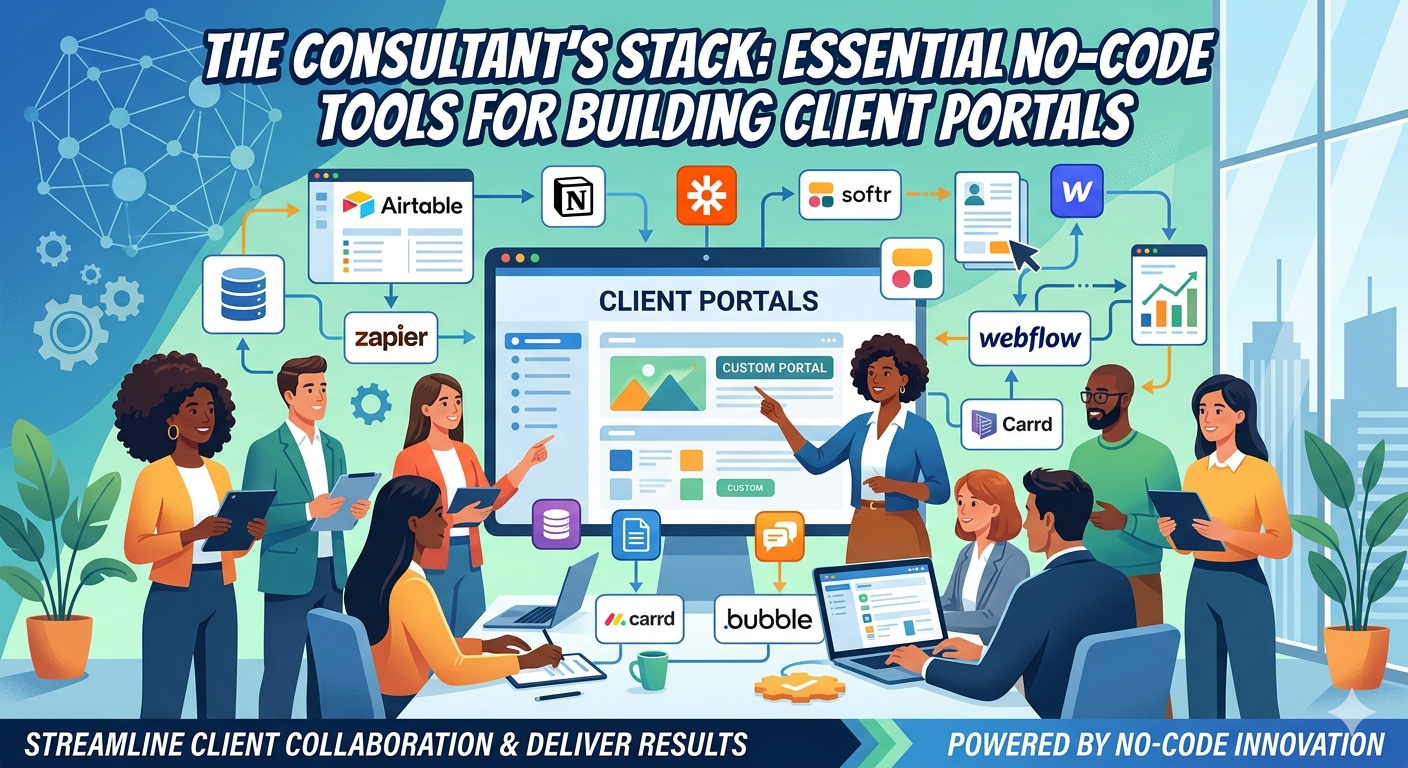
    1. Bubble, FlutterFlow, or Softr can be used for the interface and frontend. These build the actual application that the user sees and interacts with. Softr is excellent for building on top of Airtable and also Google Sheets, for example.
    2. Airtable, Supabase, Xano can be used for the backend and database you may need. This is where you store user data, inputs, settings etc. Supabase and Xano offer professional database power for people that can’t code at all.
    3. Make.com (Integromat) or Zapier for the logic engine. This connects different services you may need. Make.com in particular, lets you visually map out complex logic and data manipulation that functions like invisible custom code for your users workflow methodology.
    4. Stripe can be used for the payments and billing in general. This will handle subscription billing and user management seamlessly.

    The ‘MVS Contractor SMS’ tool we referenced earlier, could be built ENTIRELY on Softr + Airtable + Make. It would allow you to ship a usable product literally in WEEKS, not months or even years in some cases.

    Phase 4:Validating For Profit Not Scale

    The goal of your first year, lets say, is not some random number like ‘100,000 users’ or something. It should be something more like 100 paying customers.

    A good MVS product isn’t validated by user signups, it’s validated by recurring revenue. Because you’re solving a very specific high frequency problem, your users should be willing to pay for it immediately, and month after month, if it’s a problem that’s being continually solved.

    Start with simple, monthly subscription pricing. Tiered pricing could be introduced later. Your initial price should reflect the time saved, not the complexity of the software. If your tool saves a contractor 3 hours a week, saving them lets say $150 per week, then charging them $30 per month is a 20X return on investment for them!

    This may be the most important part of this entire article right here:

    Make SURE when creating your product, that they get a KILLER return on investment from buying and using your product. This makes buying your product an absolute NO BRAINER!!

    Spend $30 a month to save 3 hours of work per week, times 4 = 12 hours of work saved per month. This works BEST when your product saves them time AND money. For instance, buying a product that increases conversion rates, for a random example, producing higher sales permanently, is an absolutely obvious purchase!

    Make your product literally pay for itself, and then some, if possible! This is literally one of the most important things I hope you take away from this article. If you can find a specific niche pain point, and create a product for it that lets your customer save money and time, while making them more money, your success is literally all but guaranteed!

    How To Launch & Validate

    • The beta label: Launch your product as a ‘beta’ version. This manages expectations regarding bugs and will frame early users as ‘partners’ in building the final product. And YES you can charge for beta users! Another option, is to give FREE access to a handful of people as well, in exchange for valuable reviews and feedback on your product.
    • Go where the problem is: Market in specialized forums, groups, and linkedIn communities where people are actively complaining about the pain points your product solves.
    • Partnerships: Partner with a recognized person in related subjects, or maybe a service provider in your niche that already has trust.
    • Gather brutal feedback: Use early user feedback to refine the single core function of your product. Don’t immediately add a bunch of new features, focus on making the existing workflow absolutely flawless.

    Once you obtain good profitability, it’s like having a MOAT or super tall walls, around your business. The biggest risk in the MVS framework isn’t failure, but rather the urge to grow too fast. The danger is not being small, it’s becoming generic.

    When you build a highly profitable, small SaaS that solves a core problem for a bunch of people, you’ve created a “moat” around your business that’s difficult to disrupt. Major software companies, cant (and won’t) compete with you because your niche is too small for their bloated ‘all in one’ model! Competitors can’t easily displace you because you have solved the ONE problem users care about ten times more than anyone else.

    The minimum viable SaaS model is the ultimate realization of digital leverage, because it requires minimal capital, allows you to move rapidly, and creates a recurring, compounding asset that runs without your daily labor.

    Stop chasing the next ‘unicorn’ idea, and start looking for the next specialized process you can automate. Your MVS is possibly already being built manually by someone right now.. So go ahead and build the software that replaces their spreadsheets & outdated ‘hacks’ they’re currently using.

    I sincerely hope you got something out of this article, take care!

  • Identity Marketing:  Why We’re Not Buying Products, But Personas

    Identity Marketing: Why We’re Not Buying Products, But Personas

    We have been lied to, from traditional marketing channels. The old guard of commerce has spent literal DECADES telling us that we only buy things to solve problems. While of course this is a part of it, it’s not the only puzzle piece. It’s the classical theory.. there’s some friction in life, and you buy a product to ease that friction or just save time.

    This makes complete sense on paper. You’re cold, you buy a coat. Hungry, buy food etc. You get it.

    But if that were the ONLY force driving purchasing, everyone would wear the same utility gray jumpsuit with minimal variation, and we’d all eat flavorless nutrient PASTE. The marketplace we actually live in is not a friction-free problem solving machine. It is a vast & sophisticated costume shop of sorts.

    Not literally of course, but just have a think about this: In this ‘costume shop’ we’re in, we’re not just looking for tools.. we’re looking for personal, emotional, and / or physical transformation.

    We’re looking for an identity arbitrage.

    This concept of arbitrage is simple. It’s just a typical buy-low, sell-high concept, pocketing the difference in between. But in this idea, identity arbitrage is more like the silent transaction that occurs when a customer purchases a product not for what it does, but for who it allows them to FEEL they are.

    For real, just think about this for a second, people will pay a much higher price for being part of the ‘club’ or even a training program that’s maybe out of the price range of your average person.. They feel they ‘deserve’ to be part of this higher priced elite group.

    The same goes for why someone would spend $200 on a skin lotion. They’d do this not because it will actually give them THAT much more value than your average priced lotion, but they’re affirming that they’re ‘level’ or status is that of a person who buys this extremely high end lotion.

    They trade their money for an elevated sense of self worth, or a predefined social narrative.

    They’re not just buying an expensive ‘organic coffee’, they’re buying the narrative that they’re the kind of person who supports ethical sourcing. They’re not just buying the fitness equipment, but rather they’re buying the IDENTITY of them being fit and in shape – before they even break a sweat.

    As entrepreneurs and brand architects, if we’re still focused JUST on selling features, we’re operating with blinders on. We’re a commodity.. The TRUE leverage is not just building a better product (do this too of course!) it’s in constructing a more compelling IDENTITY that the customer is desperate to adopt for themselves.

    Try The Mirror Test – Selling Your Product As A ‘Costume Change’

    If you want to know if you’re truly successfully marketing identity rather than simply utility, you just need to apply this one simple diagnostic. The mirror test.

    When your customer uses your product, puts on your clothing, or launches your app, do they feel a CHEMICAL change in how they view themselves?

    If they hold your expensive fancy water bottle, are they just hydrating themselves, or do they feel full optimized better than what most other people could acheive? Popular brands have almost always mastered this concept, yet the VAST majority of businesses and brands 100% completely totally overlook this.

    Traditional problem solving focuses on the external friction someone faces. But when you also integrate identity marketing into the mix, you’ll be adding a priceless layer of value to literally any product you offer.

    Every single important purchase…

    Every choice that moves beyond just survival, is a vote for a specific identity. When someone buys a truck, they’re often buying the narrative of the capable protector, or the outdoorsman, reguardless of whether they’re ever actually haul any lumber or hit a single mud trail in their lives.

    Think about when someone buys a simple yoga mat, a piece of rubber typically, but it’s so much more than that. When they spend $100 on a really ‘good’ yoga mat, they’re investing in the identity of the conscious, active & body / health type individual.. NOT just buying a piece of rubber.

    This is why some brands are capable of charging absolutely RIDICULOUS markups on normal items.. Think the supreme ‘brick’.. yeah that’s actually a thing if you haven’t heard of it before. It’s literally just a brick. …. … …..

    ” The ‘sale’ happens when the product becomes the bridge between who they are currently, and who they desperately want to become, or been seen as. “

    Identity Marketing Example: Carnivore Diet – Philosophy Over Calories

    This concept of purchasing your new self, is most explosive in markets that are rooted in belief systems. Again look at the dieting world.

    You could spend years trying to market a balanced, calorie-restrictive diet based on boring science and sustainability. But it’s actually a nightmare to sell, because the‘identity’ it offers is fairly uninspiring.

    Compare this to the rapid rise and near religious following of specific, high definition “belief based” diets. For example, when someone starts a diet like the Carnivore Diet, they aren’t just changing what they eat, they’re changing WHO THEY ARE. What makes this so cool is that they’re able to charge 3-4 times what a product would normally cost, for Carnivore related products, simply because they’re for people on the Carnivore diet.

    They become a “Carnivore”, they adopt this full identity. They have clear internal rules, a distinct worldview, and the physical costume change of a diet that separates them from the average person.

    This work so spectacularly well because the identity is WELDED to the belief system. When you attach your identity to a dietary philosophy, the product is no longer just a diet.. It’s PROOF of your conviction.

    And because it’s a proof of identity, returning the product or breaking the diet isn’t just a change in preference, it’s a personal failure! This creates a powerful retention that traditional brands can only DREAM of attaining. The highest converting markets are the ones that dont just solve problems, but define your ‘tribe’ and your ‘philosophy’.

    The Character Identity Journey. Why We All Love A Good Framework.

    The real reason frameworks and levels work so effectively in areas like self-improvement and similar subjects, is that they give the buyer a clear & clean script they play.

    We are all the heroes of our own movie, so to speak, but most of us are terrible screenwriters. We don’t know what our ‘character arc’ should be.

    That’s why identity marketing works so well, it provides the script for their specific scene in their movie. By creating a multistage transformation process, you’re not just offering a product.. but rather you’re offering a new IDENTITY, a new character arc.

    Instead of selling a protein supplement, you sell the ’90 day transformation protein supplement. The customer is now the main character. Every stage of the journey is a level up that validates their new identity. You’re supplement is just the ‘experience potion’ needed to progress to the next stage of their journey.

    This framework approach converts better because it’s not selling a permanent state, but rather is selling PROGRESS to this state. We’re just naturally wired to crave progress, from big to small. The transformation framework gathers the hard work into one place by viewing it within a compelling character upgrade.

    Paying For Feeling & Status.

    We must also understand that the powerful relationship between price, status, and identity. In many cases, and because identity marketing works so well, the high price IS the feature.

    Why will someone pay 30% more for organic vegetables at a specific high-end grocery store? It’s rarely about the actual chemical make up of the food. It’s more about the definition of who they view themselves as.

    By paying this premium price, they buy the narrative that they’re the kind of parent that loves their kids enough to buy the absolute best. The extra $3 or whatever was spent, on a bag of lettuce is literally identity arbitrage at it’s root. A small financial sacrifice traded for a big internal emotional return. And brands capitalize on this all the time.

    For instance, a brand isn’t selling a pesticide free food, they’re selling the mental satisfaction of good parenting and being a responsible person.

    But How Can We Actually Apply This To Our Own Businesses?

    How do we stop just ‘selling features’ and start acting as the vendor of identities? We must build the world BEFORE and while we sell them the ‘gear’ they need to survive in it.

    This requires FOUR core pillars:

    Pillar One: Define Who They’re Not

    You can’t truly know who you are until you know what you’re NOT. An identity is defined by opposition.

    If you’re identity marketing properly, you must clearly create an antagonist or counter identity that your customers DON’T want to be! In this case, the antagonist is usually the mainstream way of thinking, or even just them without your product – the time wasted, or rather the type of person who wastes time on something.

    Are you fighting against coporate boredom?

    Or against hidden chemicals in the food supply?

    Or maybe against the ‘matrix’ of simply mediocrity?

    By creating a clear ‘other’ you’re automatically creating a tribe of like minded people who all want to stand with you. When you buy the product, you’re standing in opposition to the defined ‘other’.

    Pillar Two: Secret Language.

    Tribes need communication of course. An Identity is signaled not just by what one wears, but how you speak. Successful identity marketing brands create or adopt a unique vocabulary that only their ‘members’ or the ‘insiders’ know and can understand. Think in terms of bio-hacking, or looksmaxing. When you use these terms, you identify yourself as part of a specific niche.

    You’re signaling your ‘status’ to other insiders. If your brand doesn’t help your customers speak a ‘new language’ in some way, you haven’t given them a unique tool to fully inhabit this new persona you’re selling them.

    Pillar Three: Rules Of Initiation

    An identity must be earned, even if the earning is just adhering to a set of internal rules or standards that your brand defines. IF it’s too easy to adopt, the identity may have lower value.

    Your product you’re selling becomes the kit, or the essential gear needed to execute, and live within the rules. You don’t sell just the kit, you sell the whole identity upgrade.

    Pillar Four: Community Is Identity Confirmation

    Identity created in a vacuum can be fragile. For an identity to feel really REAL, it must be validated by others as well.

    This is the role of the community in identity marketing. When your customers have a specific space to interact with each other, they aren’t just discussing product. They’re participating in a shared commonality, mirroring their newly adopted identity back and forth to each other.

    The community becomes the place where their ‘costume change’ is normalized and validated. If I feel like whatever this new identity is, after joining a community, my identity is then reinforced. Leaving that community, means losing that identity AND the tribe or community that I was part of. This can be the ULTIMATE retention engine!

    SO In Conclusion.. Don’t Just Offer Your Product, Offer An Identity Upgrade With Your Product Being The Bridge.

    The future of band building, is not in merely refining features, it’s in fully perfecting identity engineering. The current market is absolutely saturated with products that just solve problems. The next era of business domination belongs to those who understand that they’re not just selling a product, but are initiating customers into a better and more compelling version of themselves!

    When your customer buys your product, they’re making a wager that your product will complete their ‘costume change’. They’re looking for the arbitrage that converts their money into a sense of belonging, achievement, and purpose.

    If you’re only selling the features, you’re just moving boxes around. To truly lead your niche, you must move HEARTS. You must provide the ‘gear’ needed for the personal transformation they do desperately crave.

    Don’t just launch a product, issue a whole manifesto! The sales will follow when people understand exactly who buying your product helps them become.

    I hope this has helped you in some way, seeya!

  • The Death Of Yelp.  Why ‘Human Vetted’ Niche Directories Are The Biggest Thing Of 2026

    The Death Of Yelp. Why ‘Human Vetted’ Niche Directories Are The Biggest Thing Of 2026

    In the early 2020s the passive income blueprint for a successful online directory was simple. Scrape some data of related sites, throw up a WordPress website of all these links, charge for featured listings and then let SEO do the rest. But as we move through 2026 and beyond, that model isn’t just BROKEN, it’s literally becoming a liability!

    The internet has actually reached quite the tipping point. With the absolute explosion of AI, the web is currently being flooded with zombie listings and AI generated reviews and content that make it virtually impossible for a regular consumer to know who to trust. When every single roofer has a 4.9 or 5 star rating in your area, backed by a hundred AI created testimonials, the ‘rating’ becomes more and more meaningless.

    This authenticity crisis has actually created a massive opportunity for a new breed of entreprenuer. We are seeing the rise of the ‘Trust Hub’: A super local and human vetted niche directory that prioritizes certainty over quantity.

    If you’re looking for a sustainable / high margin digital business idea this year, this may be it! What makes it pretty cool is that just about anyone can do it as well, not very many barriers to entry. Here’s my own blueprint for building a profitable trust-based online directory in these AI dominated times we’re all in.


    1. The Psychology of the 2026 Consumer – The ‘Trust’ Gap

    To build a profitable directory is these days, you HAVE to understand the shift that’s taken place in consumer behavior. According to recent consumer sentiment reports, nearly 81 percent of users now feel skeptical of reviews on major platforms like Google Maps and Yelp, for instance.

    The Failure Of The ‘Big Box’ Directories

    The giants, like Yelp, Angies, Google etc, all have fundemental flaws.. they’re all ‘pay to play’. This hasn’t just ruined your favorite video games, it’s also ruined much of the credibility of online directories. In a world where one can PAY their way to the top, and where people are getting increasingly weary of sponsered content, this model is losing it’s grip.

    The Rise Of HUMAN Reviewed Directories

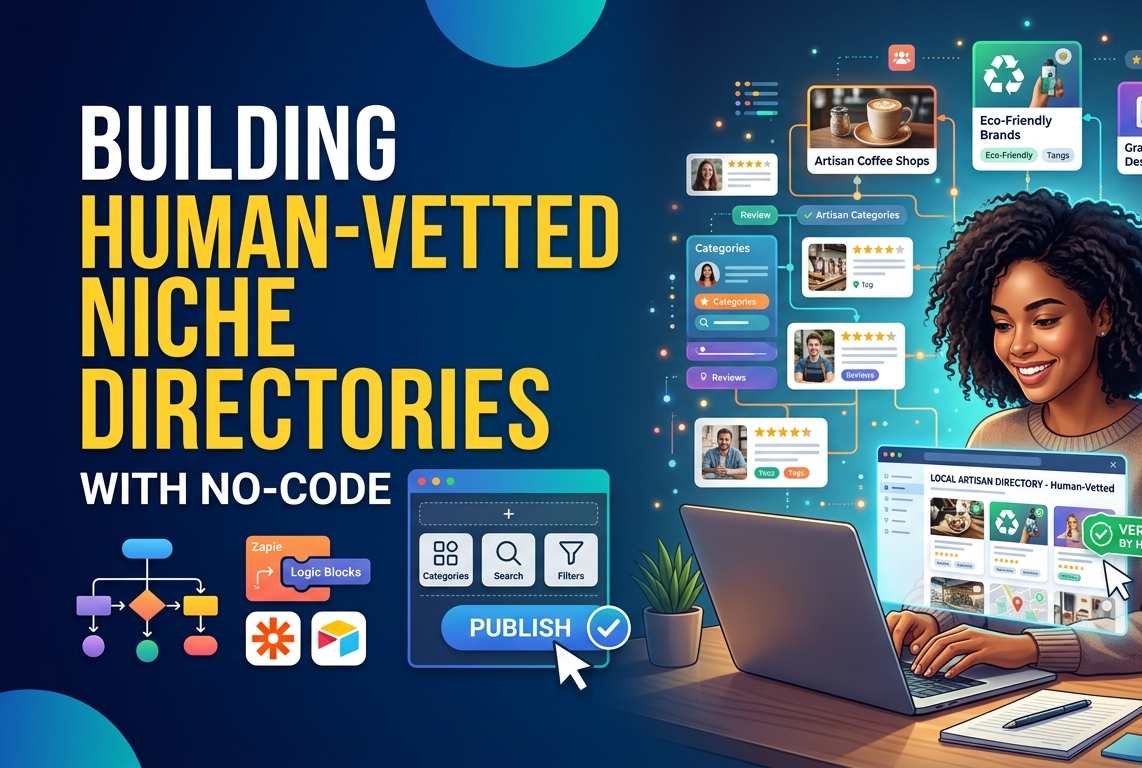
    I never thought I would be typing those words, but when AI is only getting more and more prevalent, trusted human reviewed content and links are going to become more and more popular. A ‘trust hub’ works so well beacuse it introduces a human in the loop of the verification process. When a user lands on your directory, they aren’t seeing a list of 300 plumbers, they’re seeing the TOP 5 verified professionals who have passed a manual vetting process. You aren’t just a directory owner anymore, you’re literally a digital gatekeeper – a bridge where a visitor can safely cross to arrive to their desired destination, knowing that it’s actually where they wanted to go in the first place!

    2. Identifying The Gold Mine Niches in 2026

    Not all directories are created equal. To command high lead generation fees, you need to focus on niches where the cost of failure is very high. For instance, if someone picks a bad taco spot, they lose maybe 5 bucks. If they pick a bad mold removal service, they may lose THOUSANDS. So when brainstorming for the niche you’re starting off with, make a small list of these higher stake subjects as the perfect start to finding a very profitable niche!

    The High Stakes Businesses

    1. Emergency Home Infrastructure: Think something like 24/7 HVAC services. strucural engineering, solar repair, landscaping (in certain circumstances anyways). In these days, as smart homes become more prevalent and complex, the need for specialized repair is absolutely skyrocketing.
    2. The Logevity & Wellness Sector: As biohacking and legevity clinics become more mainstream, people are desperate for vetted proiders for things like NAD+ infusions, peptide therapies, and specialized neuro-diagnostics.
    3. AI Compliance & Cyber Legal: Small businesses are currently scrambling to stay compliant with all the new regulations relating to AI. A directory of AI certified legal consultants is a high ticket niche with literally almost zero competition.
    4. Sustainable Retrofitting: Specialized contractors who focus on converting older homes (and vehicles) to meet 2026 carbon neutral standards are on the rise.

    3. The Verified Human Framework – Your Competitive Edge

    Your biggest asset isn’t your website anymore, it’s your vetting process. To beat the AI spammed giants, you need to offer something they literally CAN’T do that YOU CAN.. Manual verification.

    Think about if you had to pick from two websites, one was a bunch of scraped links globbed together and thrown at you in one chunk of faux usefullness. Compare that to a website that has a select list of sites that you know someone has actually looked into, to make sure that they’re quality. Over time, which do you think is going to get more bookmarks, and recomended more? I know which I would pick!

    What Does Verified Actually Mean These Days?

    To build a true Trust Hub, your verification should include some if not all of the following:

    • An active license check – manually checking to make sure that the professional licenese are current and have no pending disiplinary actions on them etc.
    • Physical presence verification – ensuring that they actually have a real physical office or a fleet of branded vehicles, not just a virtual address.
    • The shadow call – Calling the buesiness as a customer, to test that ONE it actually works, and also to test their response time and professionalism as well.
    • Social proof audit – looking past the typical Google review, and checking local community forums (like Reddit or Nextdoor) for real world sentiment.

    By displaying a ‘verified human’ badge next to a listing, you can just imagine the increase in click through rate to that link. People eat this up, and will be eating this up more and more as time goes on! In a world of bots, people will pay a premium just to talk to a real person these days. As time goes on, this same concept will be branching off to more and more use cases!

    4. Monetization 2.0 – Beyond The Subscription Model

    The old way of doing this, was charging a monthly fee for a featured listing. The new way is performance based revenue.

    The Lead Generation Engine

    Instead of asking a business for a monthly fee, you give them the listing for free but charge for qualified leads. You could use a simple API to send customer inquiries directly to the business owners phone.

    • Price Point – In high stakes niches, a single qualified lead can be worth $50 – $200!
    • Lets Do Some Math – If you send lets say 20 leads a month to 10 different providers at $75 per lead, you’re looking at 15 GRAND per month in renevue with very little cost!

    The Authority Upsell

    Once you have the traffic and the trust, you can offer secondary services like:

    • GEO Optimization – helping these local business optimize their data so they show up in AI search results.
    • Review Management – a service to help them gather REAL human reviews to counter the AI spam that’s becoming more and more relevant.

    5. SEO vs GEO: Ranking Your Directory In 2026

    Traditional SEO isn’t dead, but it has evolved into GEO, generative engine optimization. Your goal isn’t just to be #1 on Google, it’s to be the SOURCE OF TRUTH for your visitors, and for AI models.

    How To Structure For AI Discovery

    AI models absolutely love structured data. By using something like Schema Markup (specifically LocalBusiness and Review), you make it just EASY for AI tools to ‘read’ your directory.

    When a user asks their AI assistant “who is the best vetted sustainability consultant in Austin Texas?” their AI looks for the most authoritative and structured data source. If your directory is the new one with the most consistent, verified data, theres a much higher chance that the AI will cite YOU as the source! This is the new position better than #1 in Google, it’s now #0.

    6. How To Build Your Trust Hub

    You don’t need a team of developers anymore. Nowadays, the tools have been simplified through use of AI.

    • The Base: A clean wordpress install with a directory plugi, like GeoDirectory for instance, or a dedicated no-code tool like Softr or Bubble.
    • The Data: Use vertical AI tools to scrape initial data for your site, but manually edit the descriptions and sites it provides. This is where you would give your human touch to the rewriting of the AI draft data – this is your secret weapon!
    • The Lead Capture: Tools like Typeform of Tally integrated with Zapier to route leads directly to your clients.

    7. The Roadmap: From Zero To $5k Per Month

    OK so, breaking this whole concept into a 6+ month period for easier consumption:

    Months 1 – 2: Lets call this beginning section the ‘seed phase’. Choose one specific city, then combine that with a high stakes niche. Build the site and list the top 20 providers on it for free. Focus on heavily on human-vetted branding.

    Months 3-4: Calling this one the ‘authority phase’.. Blog about the local industry, interview the business owners. Get your site ranking for “*Your Niche* in *Your City*”.

    Months 5-6: This is the monetization phase. Reach out to the providers who are getting the most traffic. Offer them a ‘verified status’ and a lead generation trial (using the system we explained earlier in this article).

    Months 6+ : This is the phase where you scale everything out. Duplicate this exact model but for different cities, combined with different high stakes niches.


    My Conclusion: We’re Living The Renaissance Of LOCAL TRUST

    We’re moving away from the global web, moving back towards trusted local web. The people who realize this, that trust is the new currency, will be the ones who build the most resilient passive income streams of the decade!

    Stop trying to compete with Google.. Start building a ‘bridge’ that people actually want to use to get what they’re looking for.

  • Price Is A FEELING – The Psychology Of Clicking The Buy Button

    Price Is A FEELING – The Psychology Of Clicking The Buy Button

    Price is more than just a number – lets dive into why and how to get people to click your buy button

    We all like to think we’re rational, and fully in control of all of our decisions. We believe that when we’re considering buying something, whether cheap or expensive, that we are fully calculating the importance and utility.

    ” Guess what.. we’re wrong! Well not completely, but more than one may initially think! “

    If you’re selling digital products, SaaS subscriptions, or high ticket items, understanding this fundamental truth is the difference between struggling for traction and scaling without effort. The most dangerous assumption you could possibly make is that your customers are buying your product because of merely it’s features. While features ARE essentially of course, there’s much more going on behind the scenes.

    They aren’t buying solely on features, they’re buying on how the product, and specifically the price you’ve set, makes them FEEL. There’s a subconcious weighing of scales, comparing you to your competitions prices and vibes.

    Price is not merely a calculation of your overall costs + some margin. Price is a SIGNAL, it’s communication.. it’s psychology honestly. This is what markets call behavioral economics – and today we’re going to intimitely dismantle why we make the decisions we do, and how you can ethically apply these triggers to your own offers!


    The myth of rational choice

    In classical economics, consumers are described as Homo Economicus (crude, I know!). Infinitely rational buyers with perfect information who always absolutely maximize their purcase to 100% max.

    If that were actually true, luxury brands would vanish overnight. No would work EVER buy a $300 cotton shirt. We’d all drive the most fuel efficient vehicles, eat the most perfectly balanced diets – and only buy items when they’re on markdown.

    Truth of the matter is – take just about ANY given course or product – a huge percent of people that buy anything, literally end up NOT using it.. As crazy as that may sound!

    Behavioral economist Dan Ariely has proven the opposite. That we are predictable, repeatedly, and systematically irrational. Our brains are designed to make and take shortcuts – constantly! When we see a number, we dont process it in a vacuum, we process it relative to our mood, other numbers, and past experiences.

    When we’re considering clicking the ‘buy’ button & heading to the checkout page for an item, our brain is processing at least two competing signals.

    1. The cognitive / logical path: This path is slow and energy intensive, it uses working memory to compare features, analyze data, and question the necessity of the purchase. Your brain wants to know “Is this the best price?”
    2. The emotional / FEELING path: Now this path is instant and intuitive. It reacts to desire, status, FOMO, and relief. It wants to know “Do I need to solve this problem right now?”

    The ‘secret’ to conversion maximization is not the overriding of the logical path, but rather to give the emotional path enough fuel to win the argument quickly.

    OK lets get to the goodies –>

    Here are SEVEN specific psychological triggers that can help with activating the emotional pathway to purchasing.


    1. The Anchoring Effect

    The brain is a contextual machine. When we encounter a number for the first time (the price in this case), it becomes anchored in our mind. All subsequent info is judged relative to that anchor.

    Trigger: Placing your highest priced option before any others, or displaying a much higher ‘regular’ price next to, or before, your discounted ‘sale’ price.

    Feeling: Relief, feels like they’re saving money.

    Applying: Lets say you sell a 3 tiered product, don’t list them the typical way – like the ‘starter’ tier, ‘pro’, and ‘agency’. Instead simply reverse it. By seeing the highest price first, you’ll find that you’ll make much more of the ‘middle’ plan than the cheapest or most expensive. This alone can produce higher profits.


    2. Decoy Pricing

    This is one of the most elegant triggers in all of marketing. This relies on the fact that when faced with multiple complex options, we can easily get confused. To effectively break this stalemate, lets look for an easier comparison.

    Trigger: In this example, lets say we have three options just like before, but the cheapest plan is BARELY cheaper than the mid-tier, but has substantially less value – making it a no brainer to pick the middle option.

    Feeling: “It would be stupid to NOT pick the middle choice!” Clear confidence in picking the most ‘bang for their buck’ option.

    Applying : Using Dan Ariely again, he famously tested the Economist magazine subscription model such as this:

    • Web-only: $59
    • Print-only: $125
    • Web & Print: $125

    Nobody bought the ‘print-only’ option. So why was it even there? It’s entire existence was to make the last option feel like an irresistible deal! Without it, the brain struggles to compare the first and last. With that middle option, it’s clearly the rational choice.


    3.Social Proof

    When we’re uncertain, which spending money almost always makes us feel this way, we typically look to others for a ‘real’ opinion on a product. Why do you think that ‘five star ratings’ and testimonials are literally EVERYWHERE. If a bunch of people have already purchased something before you, we assume that it must be a good product that does what it’s suppose to do!

    Trigger: Highlighting endorsements, case studies, user counts, or prominently displaying a ‘most popular’ tag on one of your pricing tiers.

    Feeling: Safety, being part of the crowd – or popular opinion.

    Applying: Your pricing table MUST have a winner in it. If all three options look equally appealing, you create ‘choice overload’. By putting a ‘most popular’ tag on your target tier, you are giving the buyer permission to skip the intensive thought processes of comparing every lined feature. You’re saying ‘trusted by users just like you’.


    4. Scarcity and Urgency (FOMO – Fear of Missing Out)

    The fear of missing out is a powerful cognitive bias. We feel the pain of losing something about TWICE as intensely as we feel the pleasure of gaining something of equal value! When we perceive that an opportunity is vanishing, we stop analyzing and start acting.

    Trigger: Countdown timers, limited spots available warnings, or bonuses that disappear at a specific date.

    Feeling: Anxiety and relief.

    Applying: Use evergreen countdown imers (a timer that resets for each user) for lead magnets or introductory offers, but use hard deadline timers for major lanches. The signal must be authentic, if the offer truly doesn’t ever end, you lose trust forever.


    5. “Rule of 100” and Value Framing

    The way you display a discount significantly changes the perception of its value, even if the math is completely identical.

    Trigger: Use percentage-based discounts for prices under $100. Use absolute dollar-value discounts for prices over $100.

    Feeling: Getting the best deal possible, saving money.

    Applying:

    • A $25 ebook discounted to $20 is a $5 savings, which doesn’t sound THAT exciting. But if you frame the value differently, a 20% savings , this SOUNDS and FEELS like a much better savings!
    • A $2,000 course discounted to $1,500 is a 25% savings , sounds pretty good.. But again, framed differently, a $500 savings sounds and feels like a larger amount saved.

    Always use the framing that results in the largest number. Your brain latches onto the number itself (20 or 500) before it processes the symbol, a “%” or “$”.


    6. Sunk Cost Fallacy (& The Power Of The $1 Trial)

    The Sunk Cost Fallacy is when you’ve already spent money on something, even if it’s value ends up not being so great, you end up making yourself use it and keep using it, so you don’t have to feel like you wasted the money on purchasing it.

    The same goes for selling on the interwebs. Get them to pay a $1 trial fee – that gets them in and using the product. Once you have one customer, this could lead to upsells (buying more in the program) and eventually more customers.

    Trigger: Offer a low-risk “tripwire” product (maybe something like a $9 checklist) or a $1, 7-day full access trial.

    Feeling: Invested, and curiosity.

    Applying: Once a customer spends just $1, two powerful things happen. First, they have made a commitment, breaking the inertia. Second, they are now “in the ecosystem.” To cancel the trial or walk away, they have to consciously decide that the value you provided was less than $1. Most people will stick around (sunk cost fallacy), allowing you to convert them at the full price later.


    7. The Contrast Principle

    While Anchoring sets the stage, the Contrast Principle is about how you arrange all the surrounding elements to make the price seem small. This is about framing the investment not against your competitors, but against the alternative costs of the buyer’s current problem.

    Trigger: Frame your price against a much larger, quantifiable expense the buyer is already incurring.

    Feeling: Rationalization and possibly excitement.

    Applying: In my own ‘Anatomy of a Sales Page’ post, I contrast the investment of the course ($997) against the actual costs of failure:

    • Hiring a bad copywriter: $5,000+
    • Running paid traffic to a page that doesn’t convert: $10,000+
    • Six more months of being invisible in your market: Incalculable.

    Compared to losing $15,000, investing $997 is no longer a “cost”; it is a sensible insurance policy.


    Soo.. In Conclusion: Use These Triggers Responsibility

    The triggers outlined here, visualized as complex interplay between the logical brain and the emotions of ‘feeling’, are not magic tricks. They are psychological levers. When you use them responsibly and ethically, they serve to clarify your offer, remove the friction of indecision, and help buyers commit to a solution they actually need.

    If your product provides genuine value, it is your responsibility to use every psychological tool available to ensure the brain makes the right connection and clicks ‘BUY.’

    I hope you’ve gotten something out of this article, and I hope you have an absolutely wonderful day! Peeeeeacceee.