Author: joshkatherman

  • The Death Of Yelp.  Why ‘Human Vetted’ Niche Directories Are The Biggest Thing Of 2026

    The Death Of Yelp. Why ‘Human Vetted’ Niche Directories Are The Biggest Thing Of 2026

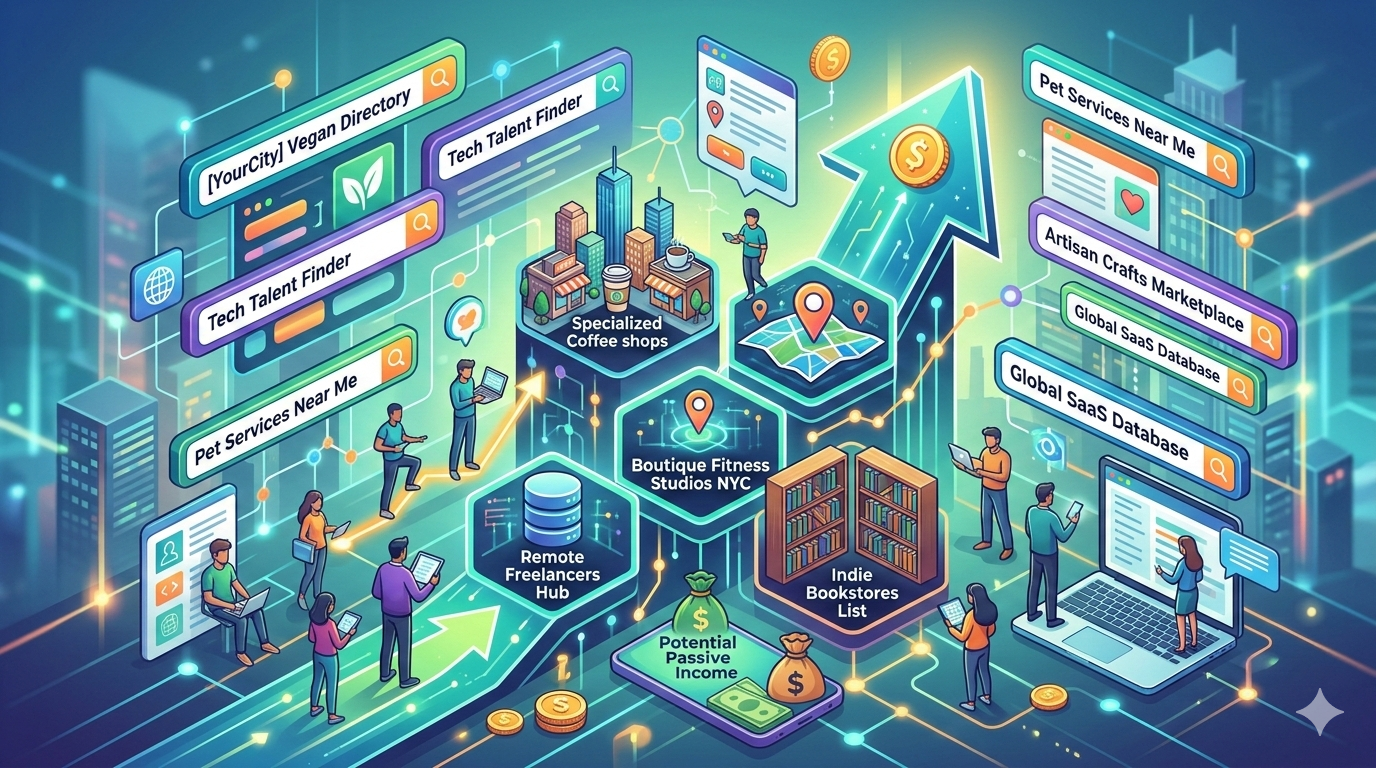
    In the early 2020s the passive income blueprint for a successful online directory was simple. Scrape some data of related sites, throw up a WordPress website of all these links, charge for featured listings and then let SEO do the rest. But as we move through 2026 and beyond, that model isn’t just BROKEN, it’s literally becoming a liability!

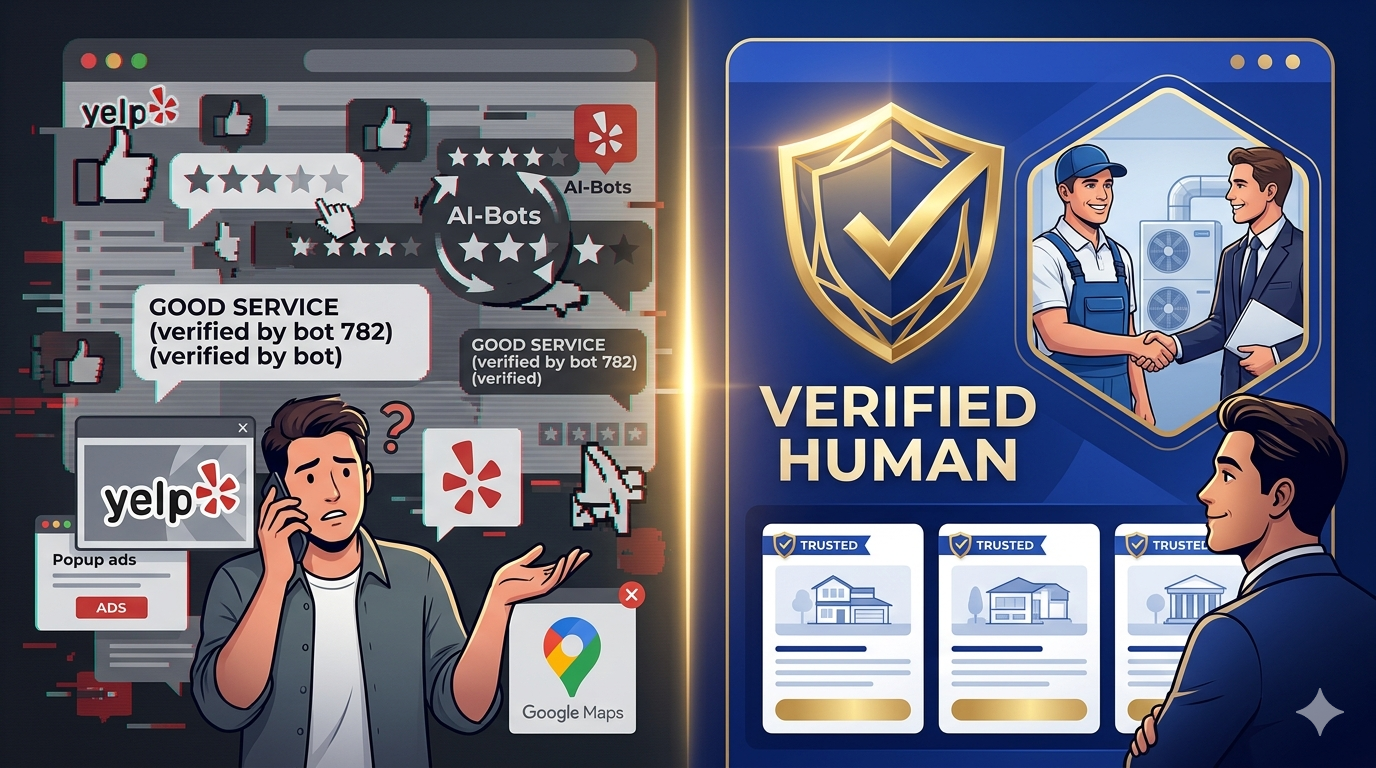
    The internet has actually reached quite the tipping point. With the absolute explosion of AI, the web is currently being flooded with zombie listings and AI generated reviews and content that make it virtually impossible for a regular consumer to know who to trust. When every single roofer has a 4.9 or 5 star rating in your area, backed by a hundred AI created testimonials, the ‘rating’ becomes more and more meaningless.

    This authenticity crisis has actually created a massive opportunity for a new breed of entreprenuer. We are seeing the rise of the ‘Trust Hub’: A super local and human vetted niche directory that prioritizes certainty over quantity.

    If you’re looking for a sustainable / high margin digital business idea this year, this may be it! What makes it pretty cool is that just about anyone can do it as well, not very many barriers to entry. Here’s my own blueprint for building a profitable trust-based online directory in these AI dominated times we’re all in.


    1. The Psychology of the 2026 Consumer – The ‘Trust’ Gap

    To build a profitable directory is these days, you HAVE to understand the shift that’s taken place in consumer behavior. According to recent consumer sentiment reports, nearly 81 percent of users now feel skeptical of reviews on major platforms like Google Maps and Yelp, for instance.

    The Failure Of The ‘Big Box’ Directories

    The giants, like Yelp, Angies, Google etc, all have fundemental flaws.. they’re all ‘pay to play’. This hasn’t just ruined your favorite video games, it’s also ruined much of the credibility of online directories. In a world where one can PAY their way to the top, and where people are getting increasingly weary of sponsered content, this model is losing it’s grip.

    The Rise Of HUMAN Reviewed Directories

    I never thought I would be typing those words, but when AI is only getting more and more prevalent, trusted human reviewed content and links are going to become more and more popular. A ‘trust hub’ works so well beacuse it introduces a human in the loop of the verification process. When a user lands on your directory, they aren’t seeing a list of 300 plumbers, they’re seeing the TOP 5 verified professionals who have passed a manual vetting process. You aren’t just a directory owner anymore, you’re literally a digital gatekeeper – a bridge where a visitor can safely cross to arrive to their desired destination, knowing that it’s actually where they wanted to go in the first place!

    2. Identifying The Gold Mine Niches in 2026

    Not all directories are created equal. To command high lead generation fees, you need to focus on niches where the cost of failure is very high. For instance, if someone picks a bad taco spot, they lose maybe 5 bucks. If they pick a bad mold removal service, they may lose THOUSANDS. So when brainstorming for the niche you’re starting off with, make a small list of these higher stake subjects as the perfect start to finding a very profitable niche!

    The High Stakes Businesses

    1. Emergency Home Infrastructure: Think something like 24/7 HVAC services. strucural engineering, solar repair, landscaping (in certain circumstances anyways). In these days, as smart homes become more prevalent and complex, the need for specialized repair is absolutely skyrocketing.
    2. The Logevity & Wellness Sector: As biohacking and legevity clinics become more mainstream, people are desperate for vetted proiders for things like NAD+ infusions, peptide therapies, and specialized neuro-diagnostics.
    3. AI Compliance & Cyber Legal: Small businesses are currently scrambling to stay compliant with all the new regulations relating to AI. A directory of AI certified legal consultants is a high ticket niche with literally almost zero competition.
    4. Sustainable Retrofitting: Specialized contractors who focus on converting older homes (and vehicles) to meet 2026 carbon neutral standards are on the rise.

    3. The Verified Human Framework – Your Competitive Edge

    Your biggest asset isn’t your website anymore, it’s your vetting process. To beat the AI spammed giants, you need to offer something they literally CAN’T do that YOU CAN.. Manual verification.

    Think about if you had to pick from two websites, one was a bunch of scraped links globbed together and thrown at you in one chunk of faux usefullness. Compare that to a website that has a select list of sites that you know someone has actually looked into, to make sure that they’re quality. Over time, which do you think is going to get more bookmarks, and recomended more? I know which I would pick!

    What Does Verified Actually Mean These Days?

    To build a true Trust Hub, your verification should include some if not all of the following:

    • An active license check – manually checking to make sure that the professional licenese are current and have no pending disiplinary actions on them etc.
    • Physical presence verification – ensuring that they actually have a real physical office or a fleet of branded vehicles, not just a virtual address.
    • The shadow call – Calling the buesiness as a customer, to test that ONE it actually works, and also to test their response time and professionalism as well.
    • Social proof audit – looking past the typical Google review, and checking local community forums (like Reddit or Nextdoor) for real world sentiment.

    By displaying a ‘verified human’ badge next to a listing, you can just imagine the increase in click through rate to that link. People eat this up, and will be eating this up more and more as time goes on! In a world of bots, people will pay a premium just to talk to a real person these days. As time goes on, this same concept will be branching off to more and more use cases!

    4. Monetization 2.0 – Beyond The Subscription Model

    The old way of doing this, was charging a monthly fee for a featured listing. The new way is performance based revenue.

    The Lead Generation Engine

    Instead of asking a business for a monthly fee, you give them the listing for free but charge for qualified leads. You could use a simple API to send customer inquiries directly to the business owners phone.

    • Price Point – In high stakes niches, a single qualified lead can be worth $50 – $200!
    • Lets Do Some Math – If you send lets say 20 leads a month to 10 different providers at $75 per lead, you’re looking at 15 GRAND per month in renevue with very little cost!

    The Authority Upsell

    Once you have the traffic and the trust, you can offer secondary services like:

    • GEO Optimization – helping these local business optimize their data so they show up in AI search results.
    • Review Management – a service to help them gather REAL human reviews to counter the AI spam that’s becoming more and more relevant.

    5. SEO vs GEO: Ranking Your Directory In 2026

    Traditional SEO isn’t dead, but it has evolved into GEO, generative engine optimization. Your goal isn’t just to be #1 on Google, it’s to be the SOURCE OF TRUTH for your visitors, and for AI models.

    How To Structure For AI Discovery

    AI models absolutely love structured data. By using something like Schema Markup (specifically LocalBusiness and Review), you make it just EASY for AI tools to ‘read’ your directory.

    When a user asks their AI assistant “who is the best vetted sustainability consultant in Austin Texas?” their AI looks for the most authoritative and structured data source. If your directory is the new one with the most consistent, verified data, theres a much higher chance that the AI will cite YOU as the source! This is the new position better than #1 in Google, it’s now #0.

    6. How To Build Your Trust Hub

    You don’t need a team of developers anymore. Nowadays, the tools have been simplified through use of AI.

    • The Base: A clean wordpress install with a directory plugi, like GeoDirectory for instance, or a dedicated no-code tool like Softr or Bubble.
    • The Data: Use vertical AI tools to scrape initial data for your site, but manually edit the descriptions and sites it provides. This is where you would give your human touch to the rewriting of the AI draft data – this is your secret weapon!
    • The Lead Capture: Tools like Typeform of Tally integrated with Zapier to route leads directly to your clients.

    7. The Roadmap: From Zero To $5k Per Month

    OK so, breaking this whole concept into a 6+ month period for easier consumption:

    Months 1 – 2: Lets call this beginning section the ‘seed phase’. Choose one specific city, then combine that with a high stakes niche. Build the site and list the top 20 providers on it for free. Focus on heavily on human-vetted branding.

    Months 3-4: Calling this one the ‘authority phase’.. Blog about the local industry, interview the business owners. Get your site ranking for “*Your Niche* in *Your City*”.

    Months 5-6: This is the monetization phase. Reach out to the providers who are getting the most traffic. Offer them a ‘verified status’ and a lead generation trial (using the system we explained earlier in this article).

    Months 6+ : This is the phase where you scale everything out. Duplicate this exact model but for different cities, combined with different high stakes niches.


    My Conclusion: We’re Living The Renaissance Of LOCAL TRUST

    We’re moving away from the global web, moving back towards trusted local web. The people who realize this, that trust is the new currency, will be the ones who build the most resilient passive income streams of the decade!

    Stop trying to compete with Google.. Start building a ‘bridge’ that people actually want to use to get what they’re looking for.

  • Price Is A FEELING – The Psychology Of Clicking The Buy Button

    Price Is A FEELING – The Psychology Of Clicking The Buy Button

    Price is more than just a number – lets dive into why and how to get people to click your buy button

    We all like to think we’re rational, and fully in control of all of our decisions. We believe that when we’re considering buying something, whether cheap or expensive, that we are fully calculating the importance and utility.

    ” Guess what.. we’re wrong! Well not completely, but more than one may initially think! “

    If you’re selling digital products, SaaS subscriptions, or high ticket items, understanding this fundamental truth is the difference between struggling for traction and scaling without effort. The most dangerous assumption you could possibly make is that your customers are buying your product because of merely it’s features. While features ARE essentially of course, there’s much more going on behind the scenes.

    They aren’t buying solely on features, they’re buying on how the product, and specifically the price you’ve set, makes them FEEL. There’s a subconcious weighing of scales, comparing you to your competitions prices and vibes.

    Price is not merely a calculation of your overall costs + some margin. Price is a SIGNAL, it’s communication.. it’s psychology honestly. This is what markets call behavioral economics – and today we’re going to intimitely dismantle why we make the decisions we do, and how you can ethically apply these triggers to your own offers!


    The myth of rational choice

    In classical economics, consumers are described as Homo Economicus (crude, I know!). Infinitely rational buyers with perfect information who always absolutely maximize their purcase to 100% max.

    If that were actually true, luxury brands would vanish overnight. No would work EVER buy a $300 cotton shirt. We’d all drive the most fuel efficient vehicles, eat the most perfectly balanced diets – and only buy items when they’re on markdown.

    Truth of the matter is – take just about ANY given course or product – a huge percent of people that buy anything, literally end up NOT using it.. As crazy as that may sound!

    Behavioral economist Dan Ariely has proven the opposite. That we are predictable, repeatedly, and systematically irrational. Our brains are designed to make and take shortcuts – constantly! When we see a number, we dont process it in a vacuum, we process it relative to our mood, other numbers, and past experiences.

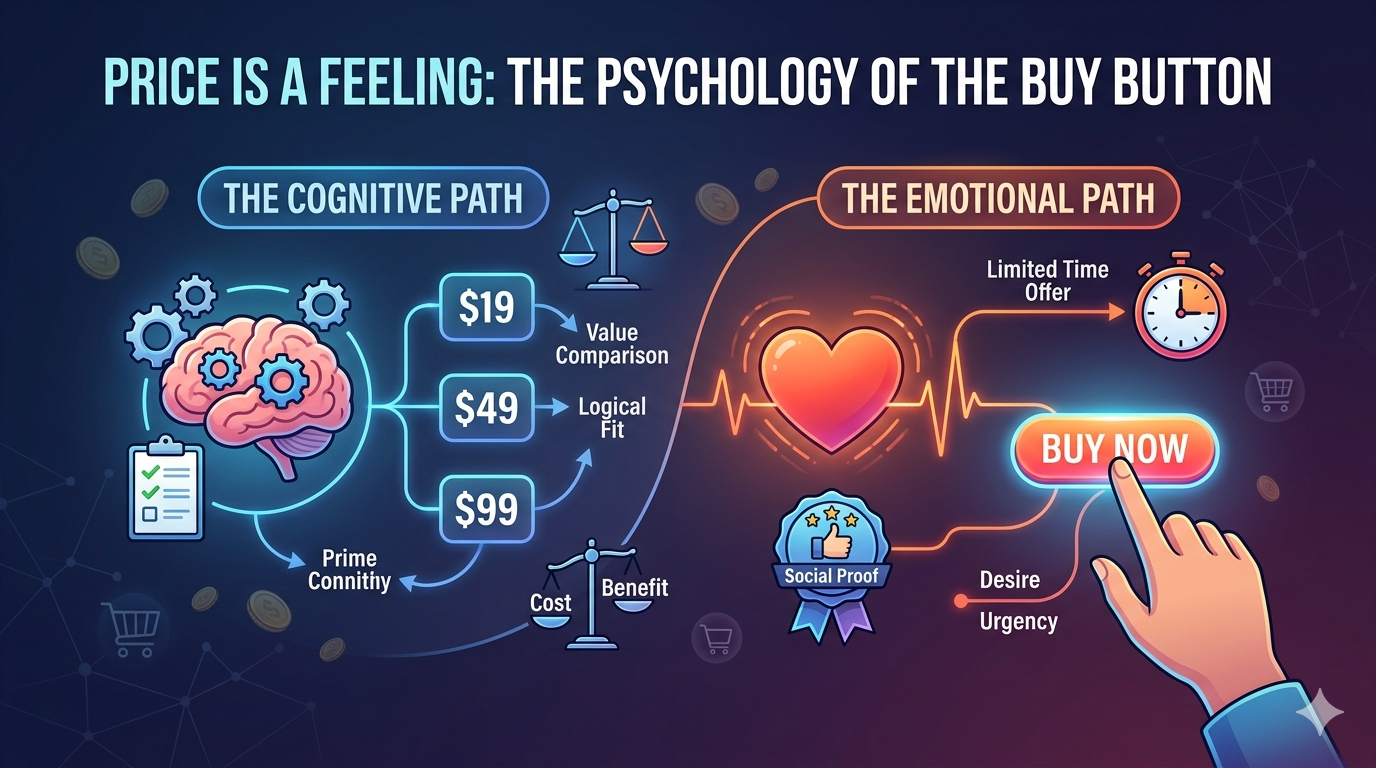
    When we’re considering clicking the ‘buy’ button & heading to the checkout page for an item, our brain is processing at least two competing signals.

    1. The cognitive / logical path: This path is slow and energy intensive, it uses working memory to compare features, analyze data, and question the necessity of the purchase. Your brain wants to know “Is this the best price?”
    2. The emotional / FEELING path: Now this path is instant and intuitive. It reacts to desire, status, FOMO, and relief. It wants to know “Do I need to solve this problem right now?”

    The ‘secret’ to conversion maximization is not the overriding of the logical path, but rather to give the emotional path enough fuel to win the argument quickly.

    OK lets get to the goodies –>

    Here are SEVEN specific psychological triggers that can help with activating the emotional pathway to purchasing.


    1. The Anchoring Effect

    The brain is a contextual machine. When we encounter a number for the first time (the price in this case), it becomes anchored in our mind. All subsequent info is judged relative to that anchor.

    Trigger: Placing your highest priced option before any others, or displaying a much higher ‘regular’ price next to, or before, your discounted ‘sale’ price.

    Feeling: Relief, feels like they’re saving money.

    Applying: Lets say you sell a 3 tiered product, don’t list them the typical way – like the ‘starter’ tier, ‘pro’, and ‘agency’. Instead simply reverse it. By seeing the highest price first, you’ll find that you’ll make much more of the ‘middle’ plan than the cheapest or most expensive. This alone can produce higher profits.


    2. Decoy Pricing

    This is one of the most elegant triggers in all of marketing. This relies on the fact that when faced with multiple complex options, we can easily get confused. To effectively break this stalemate, lets look for an easier comparison.

    Trigger: In this example, lets say we have three options just like before, but the cheapest plan is BARELY cheaper than the mid-tier, but has substantially less value – making it a no brainer to pick the middle option.

    Feeling: “It would be stupid to NOT pick the middle choice!” Clear confidence in picking the most ‘bang for their buck’ option.

    Applying : Using Dan Ariely again, he famously tested the Economist magazine subscription model such as this:

    • Web-only: $59
    • Print-only: $125
    • Web & Print: $125

    Nobody bought the ‘print-only’ option. So why was it even there? It’s entire existence was to make the last option feel like an irresistible deal! Without it, the brain struggles to compare the first and last. With that middle option, it’s clearly the rational choice.


    3.Social Proof

    When we’re uncertain, which spending money almost always makes us feel this way, we typically look to others for a ‘real’ opinion on a product. Why do you think that ‘five star ratings’ and testimonials are literally EVERYWHERE. If a bunch of people have already purchased something before you, we assume that it must be a good product that does what it’s suppose to do!

    Trigger: Highlighting endorsements, case studies, user counts, or prominently displaying a ‘most popular’ tag on one of your pricing tiers.

    Feeling: Safety, being part of the crowd – or popular opinion.

    Applying: Your pricing table MUST have a winner in it. If all three options look equally appealing, you create ‘choice overload’. By putting a ‘most popular’ tag on your target tier, you are giving the buyer permission to skip the intensive thought processes of comparing every lined feature. You’re saying ‘trusted by users just like you’.


    4. Scarcity and Urgency (FOMO – Fear of Missing Out)

    The fear of missing out is a powerful cognitive bias. We feel the pain of losing something about TWICE as intensely as we feel the pleasure of gaining something of equal value! When we perceive that an opportunity is vanishing, we stop analyzing and start acting.

    Trigger: Countdown timers, limited spots available warnings, or bonuses that disappear at a specific date.

    Feeling: Anxiety and relief.

    Applying: Use evergreen countdown imers (a timer that resets for each user) for lead magnets or introductory offers, but use hard deadline timers for major lanches. The signal must be authentic, if the offer truly doesn’t ever end, you lose trust forever.


    5. “Rule of 100” and Value Framing

    The way you display a discount significantly changes the perception of its value, even if the math is completely identical.

    Trigger: Use percentage-based discounts for prices under $100. Use absolute dollar-value discounts for prices over $100.

    Feeling: Getting the best deal possible, saving money.

    Applying:

    • A $25 ebook discounted to $20 is a $5 savings, which doesn’t sound THAT exciting. But if you frame the value differently, a 20% savings , this SOUNDS and FEELS like a much better savings!
    • A $2,000 course discounted to $1,500 is a 25% savings , sounds pretty good.. But again, framed differently, a $500 savings sounds and feels like a larger amount saved.

    Always use the framing that results in the largest number. Your brain latches onto the number itself (20 or 500) before it processes the symbol, a “%” or “$”.


    6. Sunk Cost Fallacy (& The Power Of The $1 Trial)

    The Sunk Cost Fallacy is when you’ve already spent money on something, even if it’s value ends up not being so great, you end up making yourself use it and keep using it, so you don’t have to feel like you wasted the money on purchasing it.

    The same goes for selling on the interwebs. Get them to pay a $1 trial fee – that gets them in and using the product. Once you have one customer, this could lead to upsells (buying more in the program) and eventually more customers.

    Trigger: Offer a low-risk “tripwire” product (maybe something like a $9 checklist) or a $1, 7-day full access trial.

    Feeling: Invested, and curiosity.

    Applying: Once a customer spends just $1, two powerful things happen. First, they have made a commitment, breaking the inertia. Second, they are now “in the ecosystem.” To cancel the trial or walk away, they have to consciously decide that the value you provided was less than $1. Most people will stick around (sunk cost fallacy), allowing you to convert them at the full price later.


    7. The Contrast Principle

    While Anchoring sets the stage, the Contrast Principle is about how you arrange all the surrounding elements to make the price seem small. This is about framing the investment not against your competitors, but against the alternative costs of the buyer’s current problem.

    Trigger: Frame your price against a much larger, quantifiable expense the buyer is already incurring.

    Feeling: Rationalization and possibly excitement.

    Applying: In my own ‘Anatomy of a Sales Page’ post, I contrast the investment of the course ($997) against the actual costs of failure:

    • Hiring a bad copywriter: $5,000+
    • Running paid traffic to a page that doesn’t convert: $10,000+
    • Six more months of being invisible in your market: Incalculable.

    Compared to losing $15,000, investing $997 is no longer a “cost”; it is a sensible insurance policy.


    Soo.. In Conclusion: Use These Triggers Responsibility

    The triggers outlined here, visualized as complex interplay between the logical brain and the emotions of ‘feeling’, are not magic tricks. They are psychological levers. When you use them responsibly and ethically, they serve to clarify your offer, remove the friction of indecision, and help buyers commit to a solution they actually need.

    If your product provides genuine value, it is your responsibility to use every psychological tool available to ensure the brain makes the right connection and clicks ‘BUY.’

    I hope you’ve gotten something out of this article, and I hope you have an absolutely wonderful day! Peeeeeacceee.

  • The Anatomy Of A 6-Figure Sales Page – A Simplified Blueprint For High Conversions

    The Anatomy Of A 6-Figure Sales Page – A Simplified Blueprint For High Conversions

    A Simplified Step-by-Step Blueprint For Boosting Your Sales Page Conversion Rates

    SO, you’ve made yourself a killer product. Whatever it is, an in depth course, coaching program, or a piece of software, you’ve created it and you KNOW it’s going to help people save time & improve their lives.

    But now comes the hardest part, selling it!

    You send traffic to your page, but the sales just aren’t what they should be. This is the moment that most business owners hit a roadblock. They have a potential 6-figure product, but a 3-figure sales page.

    But who am I to speak on this matter? Well, I’ve made sales pages for handfuls of product launches that have produced over $100,000 in sales – with the most successfull generating around $250,000 in total sales volume from a SINGLE product launch. So I’ve iterated through all of these sales page sections many times & tried a lot of variations.

    A true Six figure sales page isn’t defined by it’s design alone, though it should look professional of course. It’s defined by it’s architecture. It’s a carefully engineered psychological journey that’s meant to take each individual visitor from complete skepticism, to emotional excitement, to logical confidence. By the end, it should just MAKE SENSE that they must buy your product, it would be stupid not to!

    In this guide, I will dissect my exact 10-step anatomy used by the worlds top conversion experts,designers, and copywriters, to generate hundreds of thousands of dollars from a SINGLE page. I’m moving bas basic ‘features vs benefits’ and diving into the deep psychological triggers that make people click ‘buy now’.

    My Core Thoughts on sales page conversion:

    People buy through emotion, then rationalize with logic (in that order).


    Before I lay out the first ‘brick’ of the sales page, you first must understand this foundational concept. The average person is bombarded by literally THOUSANDS of marketing messages every single day. Their default setting is ‘ignore’ or ‘skip’.

    To break through, your sales page / marketing message cannot just provide information. Information doesn’t sell anymore, transformation does.

    A 6 figure sales page is designed to, of course, solve a specific problem or set of problems, at it’s core. But if your reader doesnt feel like you TRULY understand them and their problem, they will never trust your solution. Your first job is empathy not promotion.

    Now lets start to build your high converting sales page piece by piece.

    Step 1: The Pre-Headline Hook – Addressing The Right Person

    Just imagine walking into a chaotic and crowded room and trying to instantly give a speech. If you just start talking, nobody will listen, in fact they’ll probably think you’re insane 🙂 But if you pull out a chair, stand up on it and start shouting, everyone will listen. Of course this is a crude example, but I think you get the picture.

    This is the job of the pre-headline hook (also known as the lead-in, or eyebrow headline).

    Why the pre-headline works

    In marketing, trying to be everything to everyone simple doesn’t work well anymore – there’s too much of that already out there. To convert at a higher level, your page MUST feel personalized and specific. The pre-headline is your first filter, as it qualifies the right kind of visitor to continue, making them think ‘Ok yeah, this page is exactly for me’.

    How to write one

    Keep it simple. You’re explicitly naming your ideal customer or their primary frustration points. Something like this:

    1. “Attention [insert specific audience type]”
    2. “For the [insert specific profession] who wants [specific result] without the headache of [specific paint point]”
    3. “Tired of [specific frustration]? Read this immediately!”

    So maybe something like:

    “Attention freelance writers feeling burned out by low paying clients..”

    or

    “For the aspiring micro-SaaS founder who is ready to build their first app in under 48 hours (even if you dont know how to code)”

    Step 2: The Magnetic Hook

    Advertising tycoon David Ogilvy once ssaid “On average, five times as many people read the headline as read the body copy. When you have written your headline, you have spent eighty cents out of your dollar”. So you can easily see how important the top of your sales page is.

    If your headline fails, the rest of your entire sales page will be affected no matter how super amazingly awesome it is. the headline has one job: to buy you 15 seconds required for the reader to read the next sentence – sparking interest. It’s not about clever semantics or poetics, it’s about a specific irresistible promise.

    Psychology of a KILLER headline

    Top conversion specialists like Niel Patel or Copy Hackers show that top preforming headlines usually combine these elements:

    1. A specific desired results (get 1,000 new email subscribers)
    2. A defined timeframe (in the next 60 days)
    3. The removal of a primary fear / objection (without spending a dime – without writing a line of code etc)
    4. A sense of scarcity or curiosity (using the simple formula revealed inside)

    Here’s some examples of what these may look like in action:

    “How to grow a profitable newsletter to 10,000 subscribers in under 6 months – without being spending a single penny!”

    or

    “Double your inbound leads in 90 days with our proprietary lead generation system – or we DOUBLE your money back!”

    Step 3: The Empathy Gap – Agitating Pain Points

    Now that you have their attention, you must now use it to show them that you understand their situation. You must enter the conversation that’s already happening inside your visitors mind. This section is where the sale is truly lost or WON.

    You are building an empathy gap, the space between where they are now and where they want to be (the problem that your product solves).

    How to ethically agitate the pain points

    Your visitor is likely frustrated, tired and overwhelmed. You have to use their own language and feelings to describe their situation better than they even could. So you must:

    1. Describe their current state. Use vivid, specific language. What does their frustration actually FEEL like, what do they see / feel / say to themselves when theeeeyyy.. check their bank account balance, for instance.
    2. Identify the root causes of these feelings, and identify WITH them in these feelings (you were in their shoes). What are the invisible road blocks that have been stopping them so far in their journey? Why have their past attemps failed?
    3. Use the consequence of inaction. What happens if they dont solve this problem that they’re facing? For example: Another 12 months of no growth, all while their competitors are growing etc.

    I’m going to give you some exact examples of those three things in action.

    So for instance, instead of saying:

    “You need more traffic”..

    you could say something like:

    “You spend weeks pouring your soul into creating your product, you hit PUBLISH and then… nothing. Crickets fill the air, the sound of the crushing weight of another wasted launch. You check your stats every hour, hoping for a miracle that never comes”.

    Don’t say:

    “Your pricing is too low”

    Instead say:

    “You’re stuck in the endless freelance doom loop. You know your work is worth five grand, but your’re accepting 500 dollar projects just to keep the lights on.”

    OK enough of that, next step.

    Step 4: Selling Them a Bridge To Their Future Self – Painting The Solution For Them

    If you left the reader in the problem section, they would leave your page more depressed than when they arrived. But of course you won’t do that.. Youve successfully opened the wound, now you have to show them the cure. Your cure!

    This section is the bridge. Your product is not the bridge itself, but rather it’s the tool that they’ll use to cross the bridge with (avoiding the waters, or problems / paint points, below them).

    In this section, you’re painting a vivid mental picture in their head of their life AFTER their problem is solved. The MUST at least get a glimpse of what this feels like to already have their problem solved – and how your product is the solution that will take them there.

    Focus on the primary benefits and differences of them now vs. their desired future self. Don’t just simply list product features, at least not yet.

    People dont buy features, they buy outcomes. They buy how those features will change their lives, identity, bank accounts, social status etc etc.

    Emphasize focusing on the final positive transformation or outcome, first. Here’s some examples off the top of my head of how you may want to write something like this:

    “Imagine waking up tomorrow morning, checking your email, and seeing a STREAM of new customers & sales that came in while you were sleeping.”

    or

    “Picture yourself confidently hopping onto a sales call, not hoping for the client to say yes, but KNOWING that your page has already sold them. Imagine a world where you never have to CHASE a low-paying client ever again because premium high paying client are literally chasing YOU.”

    Step 5: The Solution (Introducing your offer)

    OK so, you’ve successfully identified their core problems, and fueled their desire for the solution. Now is the right time to introduce them to your product. Because you’ve structured it this way, your product doesn’t feel like a ‘pitch’, but rather a natural, seamless next step.

    Your offer must be presented as a unique and specific SOLUTION. Your visitor has probably tried multiple other things to get their desired outcomes before. You must explain why your product is better, different, more efficient, cheaper, guaranteed to work etc. (any actually make sure it is of course!)

    Stacking your offers with more & more value

    Structure this sales page section kind of like a stack of values. Instead of a single product, pitch it as an ecosystem of tools designed to ensure their success. For example –

    1. The Core System: The 10 module sales page video course
    2. The Tools: Done for you templates, checklists, graphics packs
    3. Bonuses: Live Q&A session, access to private community etc.

    Step 6: Social Proof

    At this stage of their journey, your visitor wants to believe you, but their internal skeptic has probably been burned before by other offers, leaving a sour taste in their mouths.

    You MUST answer this objbection not with your own words, but directly from the mouths of other people that were EXACTLY where they are right now – and have come out on top by using YOUR product! This is the powerful principle of social proof.

    If you’re making a sales page for a very high priced product, then simple and short social proofs will not be enough. They will look fake. You need data driven proof of emotional transformation from using your product – by people that have used it and WON.

    Types of powerful social proof sections

    1. Specific transformation testimonial: For these, focus on the before vs after. IE: ” I was only making one sale every couple days before, but after implementing this system, I was able to grow to 20-30 sales a day consistently!”
    2. Data overload proof: Share screenshots of bank accounts, analytics, dashboards, traffic graphs etc. Of course be sure to not leave in any sensitive data!
    3. Authority proof: Has a well known industry expert tried your product before? Did you product get featured or reviewed anywhere before? These work VERY well. If they haven’t, don’t be afraid to reach out to website owners, people that may be interested, to try a free copy of your product in exchange for an honest review! You could also have a ‘Beta’ launch of your product, for this reason alone – and to work out bugs as well.
    4. Objective handling testimonial: Find a testimonial from someone who was originally skeptic, or someone who had the exact same objections as your soon to be new customer has.

    As a great example:
    “Within 14 days of using this formula, I was able to take my conversion rate from 1.2% to 7.8%. That single change has net me an extra $15,489 in sales so far this month. I would have happily paid 10 times the price for this product!”

    Step 7: Price Anchoring: Reframe Expectations

    You’re now ready to reveal the price. This is where most sales pages lose momentum, but not yours. If you just state the amount – especially when talking higher priced products – you can lose a large majority of visitors instantly.

    The BEST way to approach this, is at some point BEFORE they see your price, make sure they’ve already seen the higher prices of your competitors – or even your own price before your current sale or however you’d like to do it. Just make sure they’ve already seen a higher price beforehand.

    Firstly, this already sets expectations in their head of roughly what they should be expecting to pay when they DO see your buy button / your price. This also gives you a chance to be lower than that expectation. This simple overlooked addition can really help with conversions.

    The idea is simple really, by establishing a very high number (the anchor) previously, this makes the visitor view the price of your product as a substantial discount to what they were expecting.

    If they’ve already been anchored to other online coaching programs being $10,000 before they see your price, then when they see your $500 they suddenly feel like they’re getting a GREAT bargain! This will also allow you to upsell and downsell much easier.

    Here’s some specific price anchoring techniques you may want to try in your sales page:

    1. The Total Value Anchor: Before revealing the final price, list the real world market value of every single component of your product (the course with all the modules, templates, coaching, etc)
    2. The Decoy Anchor: Display three tiers of pricing, like basic pro premium, with the main job of the most expensive tier is the make the main tier look more attractive. Of course dont lie about this haha.. you have to actually have all three tiers available.
    3. The Time vs. Money Anchor: Compare the cost of your product to the cost of NOT buying it. For example, how much revenue are you losing every single month because your sales page is only converting at 1%? If youre missing just $2000 in sales monthly, that adds up to $24,000 in lost revenue every single year!

    Step 8: The Risk Reversal (Using a rock solid guarantee)

    At the moment right before purchase, typically people will fear some level of fear. Fearing that they aren’t making the right decision.

    A good high converting sales page should absorb their fears & these risks. You must remove all frictions, by offering a guarantee that feels almost too good to be true. This is the powerful principle of the risk reversal section.

    If you truly believe in your product, you have to make it logically stupid NOT to buy!

    Here’s some high converting strategies for your guarantee section:

    Top level copywriters will typically move past your basic ‘money back guarantee’ to something more extreme.

    • “Double your money back” guarantee. This is extremely powerful, but inherently can be more risky for actually refunding a sale.
    • “Specific outcome” guarantee. This would be something like – Use my system for 60 days, and if you dont generate at least 5 new high paying clients, I will not either you a 100% refund – or work with you 1-on-1 until you do!


    Step 9: Deep Dive CTA (Call-to-action) Commanding The Click

    This is the final destination of your visitors journey. The entire page has led to this one section – this one click.

    Many pages fail before this point – let alone mastering this section by itself. They use passive button text like ‘submit order’ or something dumb dumb.

    Top conversion data sources clearly show that passive language does not convert well. A true high converting CTA must be clear, commanding, and focused on the immediate benefit. This section often has badges of the guarantee from the previous section, placed below the buy button.

    Here’s some attributes of a good call-to-action section:

    1. The CTA headline: Reiterate the promise of your product one last time. Something like “Yes! I am ready to double my sales”. Again, framing certain headlines from the visitors voice has been proven to boost conversion rates.
    2. The benefit driven button: Start the buy button with strong active verbage, maybe something like “Get Started Now”, or “Claim your…. ” . “Secure your.. “. Focus on what they get, not what they have to pay to get it.
    3. Micro copy trust signals: This is the crucial text immediately below the buy button. This is where you can reiterate the guarantee, or have guarantee badges, along with 100% secure checkout badges, or ‘lifetime access’, ‘one time payment’, no hidden fees etc.

    Step 10: Using a Logic Based FAQ Section

    Even after seeing amazing proof, a potential buyer will most likely still have some friction points, or objections, preventing them from moving forward and purchasing. As they scroll down towards the buy button, their brain is running a final inventory of their logical fears and doubts.

    This is the section where you input EVERY main objection and question that your visitors may have while on your sales page – and answer them. You can build these by yourself, or while beta testing, or simply by brainstorming for this specific reason.

    Use this specific strategy. As I just said, brainstorm every possible reason someone could have for not buying your product. IE: Time, money, will this work for my niche, does it work with [whatever].

    After this, write out each question / objection framed in THEIR voice, ‘will this work for me’ etc. Answer these points with logic and empathy… Giving each question a confident and specific solution that leaves no room for doubt. You may even refer back to them your guarantees or social proof points.

    CONCLUSION: Each Section Has It’s Own Purpose

    Congrats! If you meticulously design each section of your sales page with these steps in mind, the end result WILL convert better than your average page – and if done very well, could be the bridge to your next 6 figure product.

    Here’s a basic implementation roadmap to follow:

    1. Draft & focus on your headline, and top sections, the areas your visitors see first, focus on this section MOST. This sets the tone for the rest of the page. If you have access to heat-mapping software, you can map the percent of people that leave before even scrolling.
    2. Make sure to nail the empathy – when it comes to your visitors pain points. Conduct surveys or interviews if you are struggling with the exact language of their pain points.
    3. Make sure to not immediately list features until you get to the offer sections.
    4. Edit your page ruthlessly from top to bottom, constantly improving little sections. While writing, you may have learned something new about your offer. Reread your final CTA first, then take another look at your top page headline to make sure they flow together nicely.

    Your GREAT product deserves a spectacular sale page to match. Make sure to take some time to ensure your sales conversions are on point!

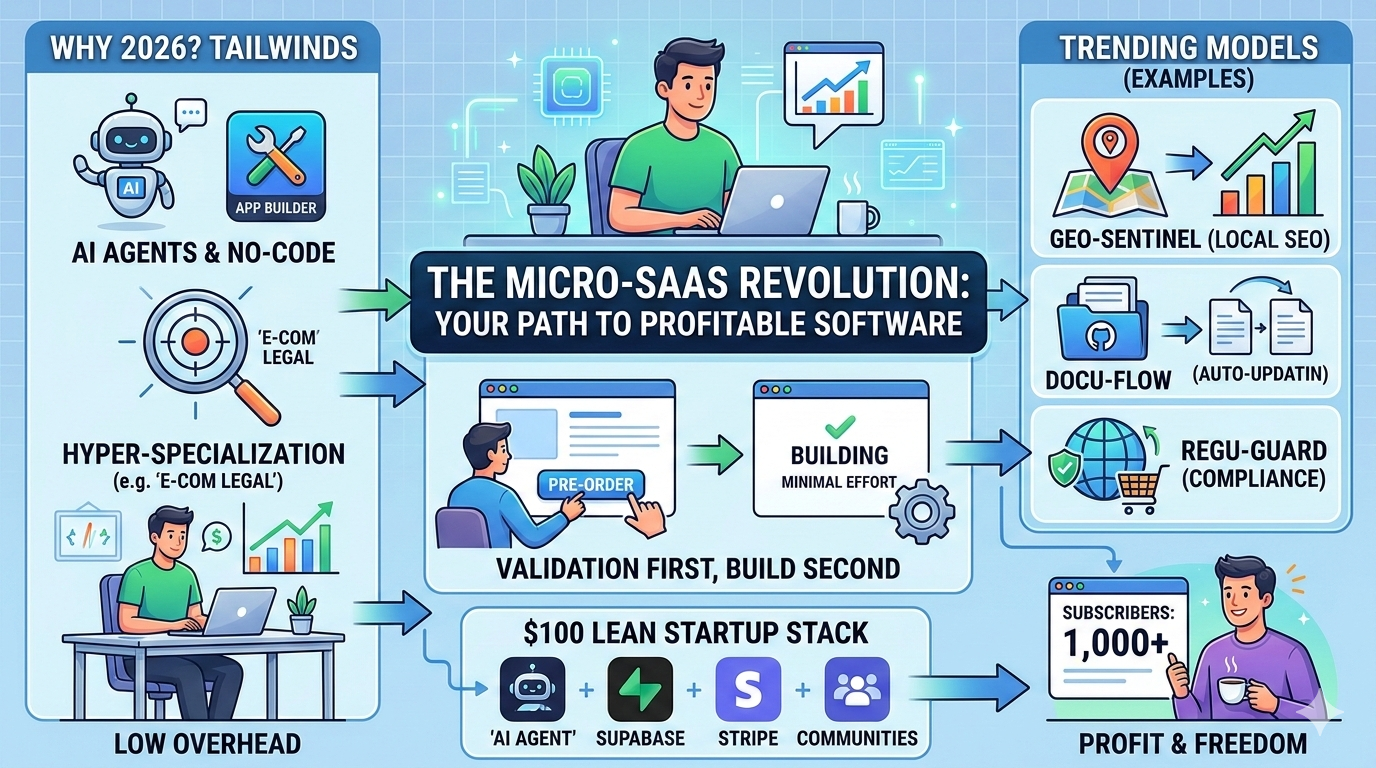
  • The Micro-SaaS Revolution – Building Profitable Software in 2026

    The Micro-SaaS Revolution – Building Profitable Software in 2026

    It’s a new year! Back in ‘my’ day, a couple years ago, building your own SaaS product meant typically at least a handful of people building together (minus a few exceptions of course!). At least months of development, testing, bug fixes, market-fit etc. Tens of thousands of dollars, the list goes on..

    But today, in 2026, that barrier to entry has basically vanished. While the foundations haven’t changed much, today ANYONE can ‘vibe code’ their way to a working prototpe software within hours – or days,depending on the complexity.

    The global SaaS market is growing to 300+ billion annually, and the real winners aren’t the ones trying to be the next slack or photoshop.. they’re individuals building highly specific, niched down software that solve a very specific problem to a very specific customer.


    Why 2026 is the year of micro-SaaS domination

    The software landscape has shifted due to a couple of primary reasons that make this the absolute most profitable time in historty to be creating your own products.

    The death of the dev team

    With agentic AI (think like Abacus deep agent, or git hub ghost editors), a single person can now generate a full stack full on application. Complete with user authentication, log in, databases for remembering and recalling user data, and even Stripe integration, all in a weekend.

    The vibe coding ‘epidemic’ has all basic functionality built in and easy to deploy with some prompts and clicks. While this has created a plethora of similar looking apps, the people that branch out and are able to customize and create unique looking, niched-down specific applications to a specific problem or pain point, are the ones that are absolutely KILLING it lately.

    Hyper specialization

    General tools are suffering from feature bloat, while users are now willing to pay 2 or 3 times the price for a tool that solves ONE specific, high stake problem for one specific industry.

    High margins

    Micro-SaaS companies are typically generating 70-85% profit margins (sometimes even higher!) by keeping teams small, or non-existent, leveraging AI for customer support and dev work, and marketing.. Making the overhead almost ZERO.


    OK so, what’s the RIGHT strategy for 2026 when building your own SaaS software / solution?

    Product-fit / and idea validation first, then develop after. Seems simple, but too many skip or reverse this – having an idea, developing everything to perfection, and THEN trying to see if theres demand for it.

    If you start out by writing code, you’ve already failed. Success these days follows a very specific pipeline:

    1. Identify a particular pain point: Pick a specific industry or really whatever subject you’re interested in potentially making a software for. Start browing posts on social media, facebook etc about this subject, and take note of particular problems that people are talking about more than once. IE: You see posts in a dog training facebook group about ‘how to stop my dog pulling when on their leash’.. or something simple like that.
    2. Validation: After making a small list of the various pains or problems that real users have in a particular subject, that seem to keep coming up, create a simple landing page but instead of a ‘buy now’ button, you’ll have a ‘pre-order’ or ‘join beta access’ or something along those lines, as your call to action. If people will pay, or sign up, for a product solving this specific solution, you may have a potential software, or in this case e-Book guide, that you could create & sell to them.
    3. Variations of price: See how much people are willing to pay for your micro-SaaS solution. try various price points to get a feel for the rough amount you may want to charge for this.
    4. Overhead view: After finding specific pain points, validating that people want and will pay for a solution, look at everything you’ve compiled up until now & have an honest thought about if you could see a specific solution working for this instance. Also see if theres ENOUGH people to justify a product for that specific problem, and if not, then start compiling more closely related problems to join together for a more thorough solution to a handful of similar pain points.
    5. Start building! : Using various AI vibe coding solutions, or if you’re a developer, start creating your SaaS software. Ensure that you focus on the specific features and solutions that people actually use & want.. Sometimes simplicity is best.

    Here’s some trending micro SaaS ideas to get you brainstorming!

    ModelThe Pain PointThe 2026 “Moat”Pricing Strategy
    Geo-Sentinel (Local SEO)Local businesses losing to neighbors in the “Map Pack.”Direct integration with Google Business Profile & local news APIs.$49/mo per location.
    Docu-Flow (DevDocs)Documentation dying as code moves faster than humans.Listens to GitHub PRs and auto-updates ReadMe in brand voice.$19/mo per repository.
    Regu-Guard (E-com)Shopify sellers accidentally breaking EU/California shipping laws.Proprietary “Legal Logic” layer that guarantees compliance.$29/mo + usage fees.
    Synth-Scale (Data)Privacy laws (GDPR) making it illegal to test with real user data.Agentic AI that generates statistically accurate “fake” data.$0.05 per k rows.
    Vibe-Check (Influencer)Brands wasting money on influencers with “bot” comments.Sentiment analysis that filters “Buying Intent” from bot noise.Credits-based ($99/10 audits).

    The $100 SaaS Startup Stack


    You dont need VC investments anymore to start your own copmany or solution. Now you can simply use AI for foundational development of your product.

    For development: Vibe code your way to success using AI coding agents such as Lovable or Abacus AI.

    For the backend / database parts: You can use Supabase!

    For payments: Stripe or even just paypal for a more simple version will work.

    Distribution and marketing: Niche communities on FB, Reddit, Discord, LinkedIn, etc are a great place to either start promoting, or to find your initial pain points to start from.

    Lets recap everything

    These days, in 2026, niche-specific solutions can be your superpower! The market is tired of all of these all in one platforms that can do everything but do it poorly. They want highly specialized solutions that does the specific thing they need, and do it VERY well. If you can save a specific type of person one hour of manual work a day, you dont just have a tool, you have a potential 6-figure business model.

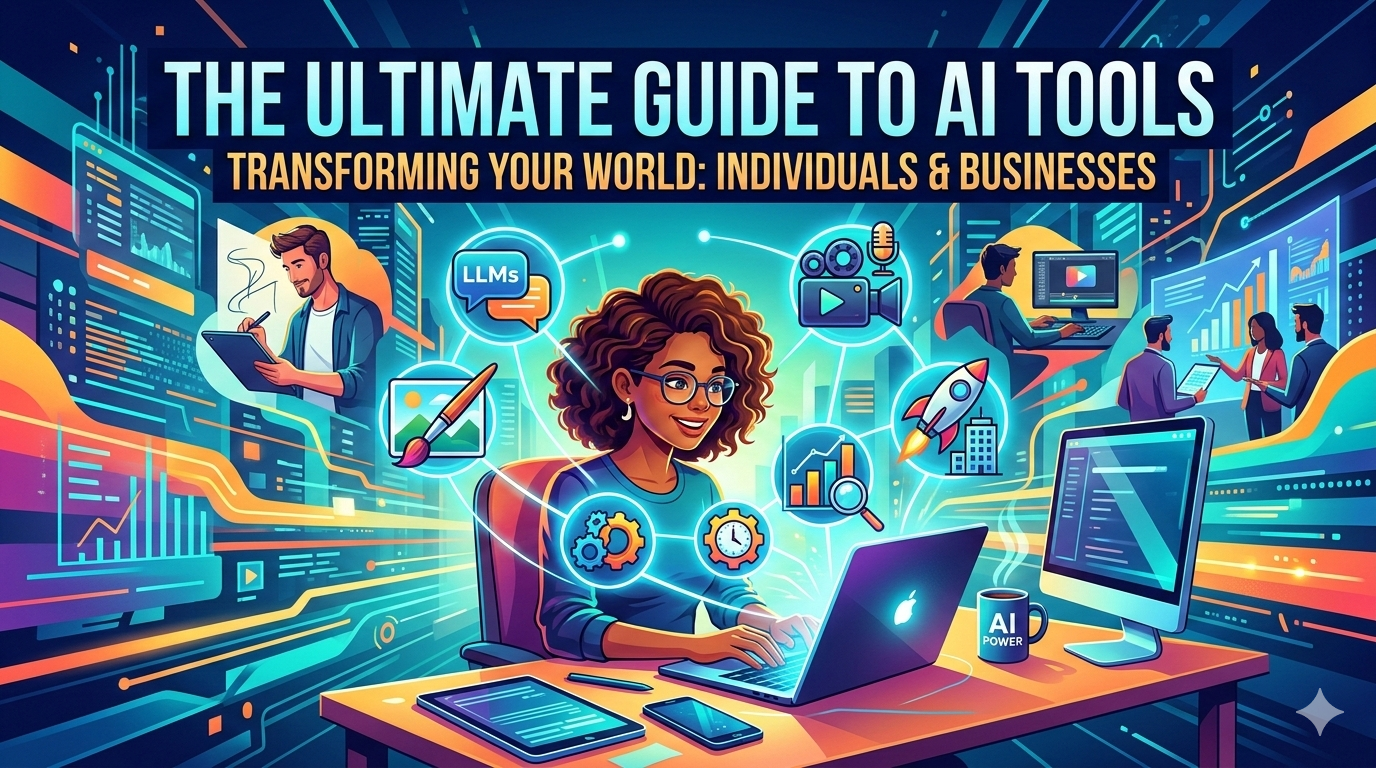
  • The Ultimate Guide To AI Tools: Transforming Your World

    The Ultimate Guide To AI Tools: Transforming Your World

    Explore All The Latest AI Tools – Create, Automate & Dominate

    Of course we’ve all heard of it, right? AI – machines that can do about anything. To some it may sound like science-fiction, or something out of a futuristic movie or comic book.. But the truth is that it’s here, and it’s making absolute WAVES across the entire globe! You may in fact already be using it without even knowing it, facial recognition, personalized recommendations on a streaming service – it’s everywhere & it’s not slowing down.

    AI has come a LONG way in the recent years!

    It’s not just a fancy tech word anymore – it’s a collection of powerful tools that are changing the way we ALL live and work.

    Think of it like this: If computers are super-smart calculating machines, AI is like that but on steroids. It’s like giving that super-smart computer a little bit of intuition, some creativity, and the ability to learn from its own mistakes. And this is where it gets really exciting. Because this new, enhanced intelligence is opening up a world of possibilities for everyone, from individuals like you and me, to small businesses, to massive corporations.

    This guide is your key to unlocking that world. I’m going to break down AI into something simple, easy to understand, and completely focused on how it can benefit you.

    Forget the complicated words & technical hoo haa. I’m going to talk about actual real-life tools and what they can actually do to make your life easier, your business more successful, and your creative projects more creative! Let’s take a look


    Understanding AI: It’s Not as Scary as You Think

    First things first, let’s clear up a few misconceptions. AI isn’t some self-aware robot army planning to take over the world (or is it??). It’s simply software that’s designed to perform tasks that typically require human-like intelligence. This can include understanding language, solving problems, recognizing patterns, and even making predictions (think polymarket / kalshi etc).

    And the best part? It’s often built to work with you, not instead of you. Think of AI as your super-powered assistant. It can handle the boring, repetitive, or complex parts of your tasks, freeing you to focus on what you do best. It’s about HELPING you, not replacing you.

    So, when I talk about “AI tools,” I’m talking about specific pieces of software that use AI technology to help you do something better, faster, or easier. Let’s look at some of the key categories of AI tools and how you could start using them today.


    AI for Language and Writing

    This is perhaps the best-known and most widely used category of AI tools. Think maaaybee – smart speakers or translation apps, AI is changing the way we interact with every part of ‘language’ in generaly. For individuals and businesses, this can be an absolute game-changer. Here’s how:

    1. Large Language Models (LLMs) – The “Chat” in ChatGPT

    You’ve probably heard of ChatGPT. It’s the most popular of LLMs. Think of it like an incredibly knowledgeable and helpful virtual conversation partner. You ask it questions, give it prompts, and it can understand you and respond in a coherent, maybe even surprisingly insightful way!

    What it can do for you:

    • Get creative inspiration: Struggling to start a story? Stumped for gift ideas? Need help writing a funny text message? An LLM can be your perfect brainstorming buddy.
    • Learn new things: Curious about any specific topic? Lets say you want to know more about the history of ancient Rome? Ask your LLM to explain complex topics in simple terms. It can be like having a personalized, on-demand tutor.
    • Write better emails and messages: Need to craft a sensitive email to a friend, or perhaps a persuasive message to a neighbor? An LLM can help you draft the right words and tone.
    • Simplify information: Copy and paste a long, complicated article and ask the LLM to summarize the key points. It’s a great time-saver for busy readers.

    But Josh, I own a small business – can AI still help me? – asked no one:

    Sure can! You can:

    • Create high-quality content: From blog posts and social media updates to website copy and advertising slogans, LLMs can churn out high-quality written content in a fraction of the time it takes a human.
    • Provide instant customer service: Imagine having a helpful customer service representative available 24/7. AI-powered chatbots can answer common customer questions, resolve basic issues, and even collect feedback.
    • Draft reports and proposals: Input your key data points, and the LLM can generate a first draft of that crucial report or a compelling project proposal. It can handle the structure and basic wording, freeing you to focus on the fine details.
    • Translate content for global reach: Instantly translate marketing materials, product descriptions, or internal documents to connect with a wider audience.

    Here’s some popular tools for general AI use:

    • ChatGPT: The famous, versatile, and often free chatbot that started it all.
    • Gemini: Google’s alternative to ChatGPT, known for its deep integration with Google Search and other services.
    • Microsoft Copilot: Microsoft’s offering, integrated directly into Windows and Microsoft 365, making it highly accessible for many users.
    • Claude: Another powerful LLM from Anthropic, praised for its focus on safety and responsible AI development.

    NEXT UP: AI for Creativity and Design

    This is where AI gets truly magical. It’s no longer just about understanding and processing information; it’s about generating new ideas and art forms. For artists, designers, and anyone with a creative spark, these tools can supercharge the creative process – saving time and money – or at the very least getting you out of a creative rut that is so easy to fall into.

    Generative Art and Image Tools – The Magic Paintbrushh

    Imagine a program that can create a realistic painting, a stunning photograph or a stylized illustration just from your description alone. This is the power of AI in the world of imagery. These tools learn from vast databases of existing art and design to generate new and unique images based on your prompts.

    Soo, what can this do for you?:

    • Create personalized gifts: Generate a unique illustration of a loved one’s favorite animal, or a stylized painting of a memorable place.
    • Visualize your ideas: Have a cool tattoo design or a concept for a home renovation project? AI can help you create a visual mockup.
    • Enhance your photos: Use AI-powered photo editors to automatically improve colors, remove imperfections, and even add creative effects.
    • Learn about different art styles: Experiment with generating images in the style of famous artists like Van Gogh, Monet, or Picasso.The possibilities are literally endless!
    • Design killer logos and branding: Need a new logo, but don’t have the budget for a graphic designer? Use an AI tool to generate a wide variety of logo concepts in minutes.
    • Create unique marketing visuals: Need a one-of-a-kind image for a social media post or an online ad? AI can generate perfectly tailored images that stand out.
    • Visualize product concepts: For product designers and innovators, AI can help rapidly create visual mockups and prototypes – speeding up the development process.
    • Streamline website and app design: Generate placeholder graphics, icons, and layout ideas for a new website or app, allowing designers to experiment quickly and iterate multiple versions quickly.

    Heres some of the most popular tools for AI image generation:

    • Midjourney: Renowned for generating high-quality, often abstract or hyper-realistic images that are visually stunning. It operates primarily through Discord.
    • DALL-E 3: Developed by OpenAI (the creators of ChatGPT), this tool can generate incredibly specific and high-fidelity images based on descriptive text.
    • Adobe Firefly: Built into popular creative software like Photoshop and Illustrator, it brings AI-powered editing and image generation directly into the professional workflow.
    • Canva: Canva has integrated powerful AI-driven image and video creation capabilities, making high-quality design accessible to everyone, even those without a background in graphic design.

    AI for Video and Audio Production – The Virtual Studio

    The power of AI isn’t limited to words and pictures. It’s also revolutionizing the world of video and audio creation. For content creators, podcasters, and filmmakers, these tools are opening up new levels of efficiency and creativity.

    What it can do:

    • Edit videos quickly: Use AI-powered video editors to automatically remove silences, transcribing audio, and even creating highlights of longer videos.
    • Improve audio quality: Clean up background noise from your family videos or home recordings with the push of a button.
    • Generate text-to-speech: Instantly turn any text into realistic-sounding audio. This is perfect for people who might have difficulty reading or want to consume written content on the go.
    • Create engaging video content: Use AI tools to turn script summaries into short, engaging videos for social media or marketing campaigns.
    • Transcribe video and audio for SEO: Instantly transcribe marketing videos, webinars, and podcast episodes to create blog posts and improve search engine rankings.
    • Add realistic voiceovers: Generate high-quality voiceovers for explainer videos, online courses, and commercial spots in a variety of languages and accents.
    • Translate video content: Automatically add translated subtitles and even overdubbed voices to connect with a global audience.

    Here’s some popular tools for AI video creation:

    • Pictory: A powerful tool for content marketers that can take a script or blog post and automatically generate short, engaging videos perfect for social media.
    • Synthesia: Allows users to create professional-looking videos with AI-powered avatars that accurately read their scripts. This eliminates the need for expensive filming equipment or hiring actors.
    • Descript: An innovative all-in-one audio and video editor that lets you edit media simply by editing a text transcript, making the editing process as easy as editing a document. It also includes powerful tools like AI-driven background noise removal.

    AI for Productivity and Efficiency

    Ok so, we all want to get more done in less time. This is where AI truly excels. It can take over the boring or pain stakingly stupid tasks, freeing you to focus on the things that actually matter – or just simply whatever you ENJOY working on!

    AI-Powered Personal Assistants – Your Second Brain

    You’re probably already using some form of this (we all are!) Think of maybe something like smart speakers or even a personal virtual assistant. These are designed to streamline your personal or business life and boost your daily productivity.

    Heres generally what they can do:

    • Manage your calendar and set reminders: Never miss an appointment or a birthday again. Ask your AI to schedule a meeting, set a timer, or remind you to make that important call.
    • Get answers instantly: Need a weather forecast? The score of last night’s game? A restaurant recommendation? Your AI is like a direct line to the world’s information.
    • Control your smart home: Dim the lights, lock the doors, and set the thermostat – all with a simple voice command.
    • Stay organized: Use AI notes and to-do list apps that can automatically categorize, prioritize, and even summarize your notes.
    • Streamline internal communications: AI-powered collaboration tools can summarize long email threads, automatically assign tasks, and even schedule meetings for entire teams.
    • Automate simple tasks: From data entry to basic document filing, AI can take over these boring and time-consuming jobs.
    • Draft emails and create simple templates: Quickly create standard emails, like customer welcome messages or project updates.

    Some popular AI tools that can do this:

    • Google Assistant / Siri / Amazon Alexa: The three big names in voice-controlled personal assistants, each integrated into their respective ecosystems.
    • Notion AI: An increasingly popular workspace app that has integrated AI for tasks like summarizing long pages, changing the tone of your writing, and even generating brainstorm ideas within your documents.
    • Otter.ai: A powerful transcription tool for meetings and interviews. It can not only provide a perfect text record but also automatically create summaries and identify key action items.

    AI for Data Analysis and Information – The Super-Smart Research Assistant

    Information is power, but making sense of a mountain of data can be overwhelming. AI data analytical tools can sift through huge amounts of information to find patterns or insights, and answers in merely seconds.

    These AI analytical tools can do things like:

    • Summarize complex documents: Struggling with a dense legal contract or a complex research paper? Copy and paste the text into an AI tool and ask for a simple summary.
    • Find information fast: Ask an AI-powered search engine deep questions, and it will provide not just links, but summarized and structured answers that are often much easier to understand.
    • Learn a new skill or topic: Have a specific question about coding, gardening, or fixing a leaky faucet? AI tools can provide step-by-step instructions and explanations.
    • Gain competitive intelligence: Monitor what competitors are doing, track industry trends, and find new business opportunities.
    • Better understand your customers: Analyze customer feedback, reviews, and survey datas to identify areas of pain, preferences, or just key areas for improvement.
    • Improve decision making: Use AI to build prediction models to forecast future trends, from sales figures to customer behavior. This can help you make more proactive and smarter decisions.
    • Identify new markets: Analyze market data to discover untapped opportunities and potential areas for growth.

    Again, here’s some tools to help with this:

    • Microsoft Copilot for Excel: Integrates AI directly into data analysis tools to identify trends, generate charts, and create insightful reports on the flyy!
    • Tableau: Allows you to ask questions about data using normal language, making powerful data MORE visual and analysis accessible to your every day user.
    • Perplexity AI: A conversational “answer engine” that provides accurate, citations-backed answers to complex questions, combining search with an LLM for more deep research.
    • Google Analytics: The classic tool for tracking website traffic, but now with increasingly sophisticated AI-powered insights to help you understand your audience better.

    AI for Specialized and Business Tasks – Your Niche Expert

    AI is increasingly making its mark in very specific fields, proving to give expert level help for complex tasks that were maybe once the domain of specialized professionals.

    Here’s how businesses can use it:

    • Simplify recruitment: AI-powered tools can scan thousands of resumes in a fraction of the time, identifying the most qualified candidates based on specific data points.
    • Streamline sales and lead generation: Automatically identify potential leads, create personalized outreach messages, and manage the entire sales pipeline.
    • Analyze complex contracts: AI-powered legal tech can scan long and complex contracts to flag potential risks, key data points, and important dates.
    • Automate basic accounting and finance tasks: From categorizing expenses to flagging potential fraud, AI can handle many of the repetitive aspects of financial management with ease.

    Here’s some popular tools for this:

    • LinkedIn Recruiter: Uses AI to help recruiters find and connect with the most relevant talent.
    • Gong: A conversation intelligence platform for sales teams that uses AI to analyze customer calls and provide insights to help close more deals.
    • Ironclad: A powerful contract management platform that uses AI to automate the entire lifecycle of a legal agreement.
    • Zendesk AI: Enhances customer support teams by automatically tagging support tickets, suggesting solutions to common problems, and even providing automated responses for basic queries.

    Your AI Journey Can Start Right Now!

    The future of AI is not a mystery for a chosen select few, it’s actually right here in front of all of us. These tools are powerful, accessible, and ready to transform the way we live and work in whole. Whether you’re wanting to supercharge your creativity, or boost your productivity, or get ahead in business, there’s an AI tool out there designed to help you specifically. And if there’s not? Maybe it’s time you make your own AI tool for it! (vibe coding)

    The best part? You don’t need a degree in computer science anymore to get started. Most of these tools are predesigned to be user-friendly, with simple interfaces that are as easy to use as your favorite app.

    The first step is simply to start exploring. Pick one or two tools that sound exciting to you and try them out! Play around with them, ask them questions, and see what they can do for your or your business. You might be surprised at just how quickly they can become an indispensable part of your toolkit!

    So, don’t wait.. Just dive in right now! Step into the exciting world of AI and discover the power to transform your life and business. The future is waiting, and it’s more accessible than you may have thought. Peace!

  • The Rise of Niche Online Directories

    The Rise of Niche Online Directories

    The good, The Bad, & How To Make Your Own

    This guide I’ve created, provides a quick but quality roadmap to building your own niche-specific online directory.

    Currently, an online directory has evolved from a simple list of links, into an interim ‘trust’ layer that solves discovery problems for visitors while also providing highly qualified leads for businesses at the same time.


    1. Finding The Next Goldmine Niche

    The secret to a successful directory is avoiding the “everything for everyone” trap. General directories cannot compete with Google or Yelp (obviously!). However, a hyper-focused directory for “Sustainable Tiny Home Builders in the Pacific Northwest” or “Landscaping Resources in central Florida” can dominate its corner of the internet MUCH easier, and with much less competition. Meaning you can rank in Google easier, quicker, with faster results. This also automatically pre-qualifies your visitors to being interested in that specific topic.

    Some random 2026 High-Value Niche Ideas: (use Google or AI to easily generate endless list of ideas if you’re stuck on where to start!)

    • The Wellness Revolution: Longevity clinics, biohacking specialists, or mental fitness retreats.
    • The Tech Frontier: Specialized AI agents, smart contract auditors, or “Human-Only” service providers.
    • The Sustainable Shift: Circular economy platforms (repair, lease, and reuse) and green micro-grid installers.
    • Hyper-Local Professional Services: Vetted tradespeople (EV charger installers, flood restoration) for specific counties, states or cities.

    2. Why Should They Visit? Create VALUE

    For visitors, value comes from curation and verification. If anyone can list themselves, the directory is spam. If you personally vet every listing, you are a trusted advisor.

    • Programmatic SEO: Build your site architecture so it automatically generates “Best [Niche] in [City]” pages. This ensures you capture “near me” search traffic.
    • Rich Data: Don’t just list a phone number. Include pricing signals, video tours, verified reviews, and real-time availability.
    • Comparison Tools: Allow users to filter by specific attributes (e.g., “Eco-friendly certification” or “Accepts Bitcoin”).

    3. Passive Income & Monetization Models To Use Inside Your Directory Site

    A directory is one of the best vehicles for passive income because the users (the businesses) provide the content, and the platform provides the audience.

    ModelHow it WorksBest For
    Paid/Featured ListingsBusinesses pay a monthly fee for top placement.High-competition niches like Real Estate or SaaS.
    Pay-Per-Lead (PPL)You charge the business for every inquiry sent through your site.High-ticket services like Legal, Medical, or Home Renovation.
    Affiliate CommissionsYou earn a % when a user buys a product via a link.Software, AI tools, or Pet Care products.
    Google AdsenseSign up and let Google display ads that you’re paid to displayEveryone – General monetization strategy

    4. The Technical Blueprint For This:

    You no longer need a developer to build a profitable online directory.

    The Low or No-Code Path:

    1. Platform: WordPress is still king for directories due to SEO flexibility.
    2. Plugin: Use a dedicated directory plugin like Directorist or Classified Listing. They handle the database, search filters, and payment gateways out of the box.
    3. Hosting: Use Managed WordPress hosting (e.g., Hostinger, Kinsta) to ensure sub-2-second load times, which is critical for 2026 SEO.
    4. AI Integration: Use AI agents to scrape initial data to “seed” the directory (ensure you have the legal right to do so) and to summarize reviews.

    5. Solving the Problem Of Simply Getting Started

    The biggest challenge is that businesses won’t pay if you have no traffic, and you have no traffic if you have no listings. Here’s a quick phase layout of how you could possibly start your own online directory!

    • Phase 1 (Days 1–30): Seed the directory yourself. Manually add the top 50–100 businesses in your niche for free. This makes the site look lived in.
    • Phase 2 (Days 31–60): Reach out to individual businesses on on your directory. Tell them they have a “Basic” listing and offer a free 3-month trial of a “Featured” listing in exchange for a backlink or testimonial.
    • Phase 3 (Days 61+): Once you have organic traffic (trackable via Google Search Console), start charging for the “Featured” tier.

    6. Legal Check!

    In 2026, privacy laws (like the new 2026 statutes in Indiana and Rhode Island) are stricter than ever, unfortunately.

    • Privacy Policy: Must explicitly state what data is collected and how it is shared.
    • Cookie Consent: Use a functional banner that allows users to opt-out of “targeted advertising.”
    • ADA Accessibility: Ensure your site is navigable with keyboard and screen readers to avoid “surf-by” lawsuits.

    So In Summary:

    1. Pick a Niche: Find a gap where discovery or quality info is currently difficult.
    2. Build the Trust: Focus on verified, high-quality data.
    3. Monetize Early: Don’t wait for a million visitors; 100 high-intent visitors are worth more to a business.
    4. Automate: Use tools to handle renewals, lead notifications, and data updates.

    It would be fun to start a handful of these, to see how well they fare. Have any other suggestions for starting your own directory website? Let me know! Peace.