Category: SaaS

  • Validate Your Micro-SaaS Idea Using Your Blog: Finding Product-Market Fit

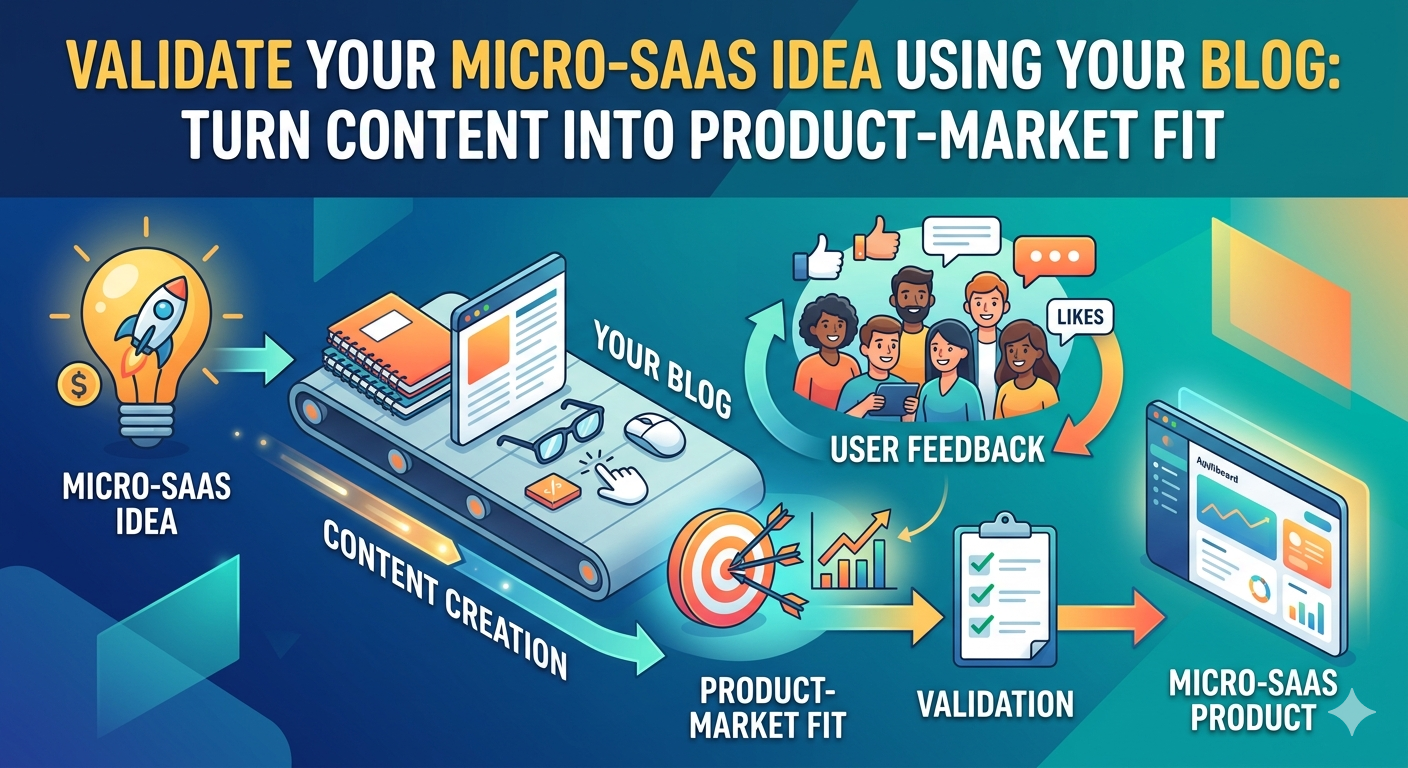
    Validate Your Micro-SaaS Idea Using Your Blog: Finding Product-Market Fit

    OK so think about this..Let’s say you’ve got a blog that’s actually getting some amount of traction. People are reading your posts, leaving comments, maybe even signing up for your email list. But what if your audience isn’t just for about numbers? What if it’s your secret weapon for building a micro-SaaS that actually sells?

    Most creators approach micro-SaaS all wrong. They lock themselves in a room for 3 months, build what they think is the perfect tool, then launch to crickets. Meanwhile, they’ve been ignoring the most powerful validation tool they already own: their blog / online audience.

    The Content-First Validation Method

    Let me explain how this works for ya.. Your blog isn’t just a content channel, it’s a built-in focus group / feedback loop / early adopter network all rolled into one. Every post you write is actually a low-cost experiment in what resonates with your audience.

    When you notice certain topics consistently getting more engagement, comments, or shares, that’s not just algorithmic luck. That’s your audience telling you what problems they actually care about solving. In the world of micro-SaaS, solving real problems is literally the only thing that matters.

    Mining Your Content for Gold

    Here’s how to turn your existing blog into a idea-validation machine:

    First, go back through your top 10 performing posts (by time on page, comments, or social shares). Look for patterns in the questions people are asking in the comments. Are they repeatedly asking for tools, templates, or checklists related to a specific topic?

    Second, pay attention to which posts generate the most email signups when you offer a related lead magnet. If your post about “systemizing your client onboarding” gets 5x more newsletter subs than your post about “trendy marketing tactics,” that’s a huge signal.

    Third, notice which topics you keep returning to in your own writing. If you find yourself referencing the same framework or process over and over, that’s probably because it’s genuinely useful — not just to you, but to your readers who keep engaging with those posts.

    Let me give you a real world example: lets say you run a blog about uhhh.. coffee shop management. You notice your posts about inventory tracking and waste reduction or whatever, consistently get the most engagement from viewers. Comments keep asking: “Is there a simple tool for tracking daily bean usage?” or “How do you actually calculate waste percentage without it being a huge pain?”

    That’s not just engagement my guy, that’s a product opportunity screaming for attention! Your audience has literally told you they want a tool to solve this specific, painful problem. All you have to do is build the simplest possible version and offer it to them.

    From Blog Post to Micro-SaaS: Here’s My Process

    Here’s how to actually do this without over-complicating it. FIRST let’s find the idea.. Here’s how I’d do it:

    • Start with your highest-engagement content — the post that consistently gets the most comments, shares, or time on page
    • Alternatively simply audit your top 5 posts by engagement and note the recurring questions or pain points in comments
    • Extract the core problem — what specific task or frustration are people repeatedly mentioning?
    • Create a simple survey asking your email list which of 3 potential tools they’d pay for and why
    • Write a follow-up post proposing your micro-SaaS idea and measure the response (comments, shares, email clicks)

    Steps To Validate Your Idea

    After finding your idea, here’s exactly how I would start validating it using your blog:

    • Build the absolute minimum viable version — could be a simple Airtable base, a Google Sheets template with some formulas, or a basic Softr tool
    • Offer it to your blog audience first — make them feel like insiders getting early access
    • Charge from day one — even if it’s just $5-$20 to start, this validates that people will actually pay
    • Use their feedback to improve — every suggestion from your early users becomes your product roadmap. Iterate based on real usage.. not what you think they want, but what they actually use

    The Real Advantage: Trust Already Built

    Here’s the kicker that most people miss about using this methodology… when you launch a micro-SaaS to your blog audience, you’re not starting from zero. You’ve already spent months or years building credibility through your content. They know your voice, they’ve seen your expertise, and they’ve hopefully gotten value from your content already. So it’s a natural evolution to go from viewer to customer!

    That trust is worth more than any amount of paid advertising. It means your early adopters aren’t just buying a tool, they’re buying from someone they already believe in. And in the early days of a micro-SaaS, having users who will give you honest feedback and tell others about your tool is worth its weight in gold.

    Stop Guessing, Start Listening

    The beautiful thing about this approach is that it turns validation from a scary, uncertain process into something almost effortless. You’re not guessing what people want — you’re listening to what they’ve already told you through their engagement with your content.

    Your blog audience isn’t just some obscure number. They’re your built-in focus group, your beta tester network, and your first paying customers.. all in one convenient package. Stop treating your blog as just a content channel and start seeing it for what it really is… the most powerful validation tool you’ll ever own for your micro-SaaS ideas!

    So next time you’re wondering whether that tool idea you’ve been toying with is worth building, don’t lock yourself away to perfect it in isolation. Look at your blog analytics, read those comments, and let your audience tell you the answer.

    I hope this helped, seeya!

  • From Zero to Monthly Reoccurring: 5 Proven Micro-SaaS Blueprints You Can Build THIS WEEKEND!

    From Zero to Monthly Reoccurring: 5 Proven Micro-SaaS Blueprints You Can Build THIS WEEKEND!

    Building a massive, venture-backed software company sounds great of course, but it usually involves endless pitch decks.. burning through millions of dollars, and years & years of stress.

    There is a better way.

    The Micro-SaaS blueprint isn’t about changing the world or building a massive tech empire. It’s about solving a hyper-specific, annoying problem for a small, dedicated audience who is more than happy to pay you $20 to $50 a month to make that problem disappear.

    You don’t need an army of developers, and you don’t need six months of development time. You can build, launch, and start charging for these five simple blueprints over a single weekend.

    Here is exactly how they work, who they are for, and how to build them.. quicker than you may think!

    1. The Niche Content Curation Engine

    The Concept: People are drowning in information but starving for wisdom. If you can filter out the noise and deliver highly curated, ultra-specific content directly to someone’s workflow, they will pay for it.

    • The Problem: A busy professional (e.g., a real estate investor or AI developer) doesn’t have 4 hours a day to scan Twitter, Reddit, and 50 different blogs for critical industry updates.
    • The Micro-SaaS Solution: A tool that automatically scrapes, filters, and categorizes the top 1% of industry-specific news, trends, or datasets, and drops them into a clean dashboard or weekly digest.

    The Blueprint

    • The Core Feature: A database that updates daily with curated resources, tagged by category, with a simple search and filter function.
    • The MVP Tech Stack: Bubble or Softr for the front-end dashboard, Airtable to hold the curated links, and Make.com (or Zapier) to pull data from RSS feeds or social media APIs.
    • How to Monetize: Free tier showing the last 7 days of data; premium tier ($19/month) giving access to the full historical archive, instant alerts, and downloadable CSVs.

    2. The Local Service Scheduling Helper

    The Concept: Traditional service businesses (like lawn care, house cleaners, or mobile dog groomers) are great at their craft, but often terrible at managing the digital side of their business. They don’t need complex, enterprise-level ERP software—they just need a simple tool that does one job perfectly.

    • The Problem: Local solo providers lose money when clients forget appointments, or they waste hours texting back and forth to confirm a time slot.
    • The Micro-SaaS Solution: A barebones, mobile-friendly text dispatcher and scheduler built purely for one specific trade.

    The Blueprint

    • The Core Feature: A clean calendar where the business owner enters a client’s name and phone number, which automatically triggers a text confirmation and a 24-hour reminder.
    • The MVP Tech Stack: Glide Apps or FlutterFlow for a flawless mobile-first layout, Twilio via Make.com for SMS automation, and a simple Google Sheets backend.
    • How to Monetize: Charge a flat $29/month fee for up to 500 automated texts, allowing small local service providers to look professional without paying for complex enterprise software.

    3. The Digital Product Delivery Vault

    The Concept: Creators, authors, and educators sell digital products (e-books, templates, checklists, and code snippets) every day. However, sending static PDF files via standard email attachments makes it incredibly easy for their hard work to be pirated and shared across the internet.

    • The Problem: Digital creators need a secure way to deliver their assets without managing a massive learning management system (LMS) or a complex membership site.
    • The Micro-SaaS Solution: A “single-use dynamic vault” that securely hosts files and automatically expires download links after a set period or number of uses.

    The Blueprint

    • The Core Feature: A customer buys a product, receives a secure link, and logs into a clean, distraction-free portal to access their downloads.
    • The MVP Tech Stack: Webflow or Framer for the landing page, Memberstack for user authentication, and AWS S3 or secure Google Drive folders to host the assets.
    • How to Monetize: A usage-based model. Free for the creator’s first 10 monthly customers, then $15 to $49/month as their sales volume grows.

    4. The Hyper-Focused Email Marketing Automation

    The Concept: Giant email marketing platforms try to do everything—newsletters, landing pages, e-commerce, SMS, and complex logic trees. This makes them bloated, expensive, and intimidating for beginners who just want to do one simple task.

    • The Problem: A creator or small business owner wants to run one specific type of campaign (like a 5-day welcome sequence or a text-only drip) without fighting a complex user interface.
    • The Micro-SaaS Solution: A stripped-down, laser-focused email tool designed to do exactly one type of automated sequence beautifully.

    The Blueprint

    • The Core Feature: A minimalist text editor where a user writes 5 emails, sets the daily delay, and gets a single embed code or webhook link to start collecting signups.
    • The MVP Tech Stack: Retool or Bubble for the user interface, combined with Amazon SES or Resend to handle high-deliverability email sending at a fraction of the cost of big platforms.
    • How to Monetize: Flat-rate pricing of $9/month for up to 2,000 subscribers. It’s an easy, low-friction “yes” for anyone tired of bloated, expensive software.

    5. The Community Membership Portal

    The Concept: Relying purely on traditional social media algorithms to reach an audience is a losing battle. Creators and group leaders want a dedicated space to host their community, but platforms like Discord can feel chaotic, while Facebook Groups are cluttered with ads and distractions.

    • The Problem: Community leaders want a quiet, focused, branded space to host premium discussions, resource hubs, and member networking.
    • The Micro-SaaS Solution: A lightweight, invite-only forum and directory app built specifically for niche digital communities.

    The Blueprint

    • The Core Feature: A clean dashboard featuring a central announcement feed, a searchable member directory, and a simple text-based discussion forum.
    • The MVP Tech Stack: Outseta or Whop for handling payments and memberships, tied to a customized, clean front-end built on Bubble or Softr.
    • How to Monetize: Take a small 3-5% cut of community membership fees, or charge the community leader a flat $39/month to host their custom domain and branding.

    The Weekend Execution Framework

    To actually pull this off over a single weekend, you have to follow three golden rules:

    1. Kill the Bloat: Pick one core problem and build one feature that solves it. If it doesn’t directly solve that single problem, save it for version 2.
    2. Don’t Reinvent the Wheel: Use no-code tools and existing APIs. Your goal is to validate the idea and see if people will pay for it, not to write perfect, custom code from scratch.
    3. Launch Before You’re Ready: Build on Friday and Saturday. On Sunday, share your creation on Twitter/X, Reddit, or indie hacker communities to get immediate feedback and your very first subscribers.

    Which blueprint are you going to build first? Let me know below if I missed anything, or if you have some ideas of your own you’d like to add!

  • The Consultant’s Stack: Essential No-Code Tools for Building Client Portals

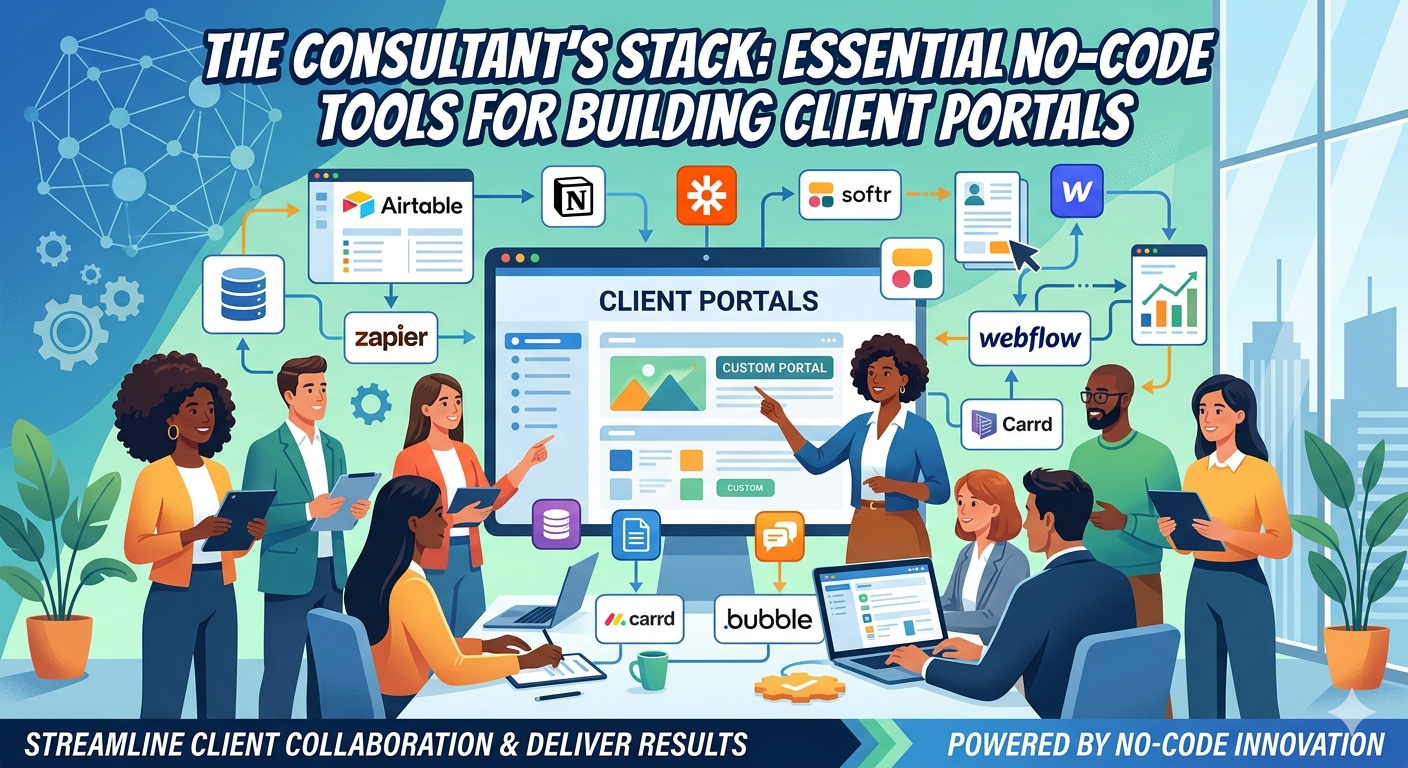
    The Consultant’s Stack: Essential No-Code Tools for Building Client Portals

    Let me throw a scenario out there for ya quick.. Think about if you were a consultant who’s brilliant at solving clients’ problems.. but spends half your time wrestling with clunky client portals /password reset emails, and scattered files across Google Drive and Dropbox. You know there’s a better way to deliver your expertise… a clean, branded portal where clients can access reports, track progress, and communicate without the chaos..

    What if you could build that portal in a weekend, without writing a single line of code, using tools you already know or can learn in an hour? That’s the power of the modern consultant’s no-code stack..

    Here’s the thing: you don’t need to be a developer to create professional client experiences anymore!

    The rise of powerful no-code platforms means you can assemble a secure, functional client portal faster than you can schedule a kickoff meeting. And the best part? These tools integrate with the services you already use — like Google Docs for reporting, Airtable for data, and Canva for branding — so you’re not starting from scratch.

    Your Client Portal Stack: The Core Four

    Every effective consultant portal needs four layers: data storage, interface builder, automation glue, and payment/gatekeeping. Here’s how to stack them without touching code.

    Data & Content: Airtable or Google Sheets

    Start with where your client information lives. For most consultants, that’s project details, timelines, deliverables, and feedback. Airtable shines here because it combines spreadsheet familiarity with database power — you can link records, create views for different client stages, and attach files directly.

    If you’re already deep in Google Workspace, Google Sheets combined with Apps Script can work too, but Airtable’s richer field types (checkboxes, dates, file attachments) and built-in interfaces make it the stronger choice for portals.

    Pro tip: Use Airtable’s “Interface Designer” to create read-only views clients can access — no need to build a separate frontend just yet.

    Interface & Access: Softr or Bubble

    Now turn that data into a portal clients can actually log into. This is where Softr and Bubble come in.

    Softr is the faster path if your data lives in Airtable or Google Sheets. It connects directly, lets you design login-protected pages with drag-and-drop blocks, and handles user roles (client vs. admin) out of the box. You can have a basic portal up in an hour.

    Bubble offers more flexibility for complex logic — think conditional workflows, custom calculations, or multi-step wizards. It has a steeper learning curve but pays off if you need client-specific calculators, dynamic pricing, or intricate approval flows.

    Both tools let you customize colors, fonts, and logos — so you can match your brand identity created in Canva or kept consistent across your Google Docs templates.

    Automation & Glue: Make.com (formerly Integromat) or Zapier

    Portals aren’t static; they need to trigger actions when clients upload files, submit forms, or update statuses. That’s where automation platforms shine.

    Make.com and Zapier let you connect your portal (via webhooks or direct integrations) to your other tools: send a welcome email via Gmail when a client signs up, push project updates to a Google Doc, or create a task in your project management tool when a milestone is marked complete.

    For consultants, the sweet spot is often Make.com — it’s more affordable for high-volume tasks, offers a visual scenarion builder that’s easy to follow, and includes built-in tools for data transformation (like formatting dates or extracting text from PDFs).

    Payments & Gatekeeping: Gumroad or Stripe via Bubble/Softr

    Finally, how do you charge for access? If you’re selling portal access as a product (e.g., “3-month strategy package with portal access”), Gumroad makes it stupid simple. You can create a product, deliver a portal access link after purchase, and even offer payment plans.

    For more advanced scenarios — tiered access, subscription billing, or integrating payments directly into the portal workflow — Stripe via Bubble or Softr gives you full control. You can gate certain portal sections behind payment status, automate invoice generation, and keep everything in one ecosystem.

    Putting It All Together: A Real-World Example

    Let’s say you’re a sustainability consultant helping manufacturers reduce waste. Your client portal stack might look like this:

    • Airtable: Base with client profiles, audit schedules, waste tracking logs, and report library.
    • Softr: Login portal where clients view their audit progress, download reports from the Airtable attachment field, and submit improvement ideas via a form.
    • Make.com: When a client submits an idea, it triggers a Google Doc update with the suggestion and sends you a Slack notification for follow-up.
    • Gumroad: Clients purchase “6-month Waste Reduction Tracker” access; Gumroad triggers Softr to create their login credentials upon payment.

    You built this in a Saturday afternoon, used tools with free tiers to start, and now deliver a professional experience that makes clients feel like they’re working with a firm — not a solo consultant.

    Why This Stack Beats Custom Code (For Most Consultants)

    Let’s be honest: custom-coded portals have their place, but they come with steep trade-offs that often don’t make sense for consulting businesses.

    Speed to value: No-code tools let you iterate based on client feedback in hours, not weeks. You can add a new report view or tweak a workflow based on an actual client request before your next invoice is due.

    Lower cost: Most of these tools offer free tiers or low-cost plans that scale with your usage. You’re not paying a developer $100/hour to maintain a portal that only a handful of clients use.

    Ownership & flexibility: If you outgrow a tool (say, you need more complex calculations than Softr offers), you can migrate your Airtable base to Bubble or even export to a traditional stack later. Your data stays portable.

    Focus on your expertise: Every hour you spend wrestling with CSS bugs or API authentication is an hour not spent delivering value to clients. The consultant’s stack lets you spend more time doing what you’re paid for — your unique knowledge.

    Actionable Steps to Build Your First Portal

    • Map your client journey: Write down the exact steps a client takes from onboarding to project completion. Identify where they need access to information, where they need to submit something, and where you need to notify them.
    • Choose your data layer: Start with Airtable if you’re unsure; it’s the most versatile for consulting workflows.
    • Pick an interface builder: Try Softr first for speed; if you hit limitations, explore Bubble.
    • Set up one automation: Use Make.com to connect a form submission to a Google Doc update or email notification — just to see the magic work.
    • Decide on monetization: Will portal access be included in your retainer, a separate product, or a tiered offering? Pick Gumroad for simplicity or Stripe via your builder for flexibility.
    • Brand it: Use Canva to create a simple logo and color palette, then apply those colors in Softr/Bubble and your Google Docs templates for a cohesive feel.
    • Pilot with one client: Offer portal access to a current client at a discount in exchange for feedback. Their real-world usage will reveal gaps you never imagined in planning.

    The Consultant’s Advantage

    You already have something most software founders envy: direct access to clients who trust you and pay for your expertise. The consultant’s stack isn’t about becoming a tech founder — it’s about leveraging your existing relationships to deliver more value, more efficiently, without scaling your time linearly.

    Remember, the most effective client portals aren’t the ones with the fanciest animations or the most features. They’re the ones that make clients feel informed, empowered, and connected to your work — turning every interaction into a reinforcement of why they hired you in the first place.

    So take that stack you’ve been imagining — Airtable, Softr, Make.com, Gumroad — and build the simplest version that solves one real pain point for your next client. You’ll be amazed at how quickly “just a consultant” starts to feel like “the go-to expert with the slick client portal.”

    I’m curious to see what you may want to build.. Let me know your ideas in the comments below & take care!

  • Productize Your Expertise: Turning Consulting Knowledge into a Micro-SaaS with AI

    Productize Your Expertise: Turning Consulting Knowledge into a Micro-SaaS with AI

    Imagine you’ve spent years honing a super-specific skill. Maybe you’re the go-to person for fixing legacy plumbing scheduling nightmares. Or you know exactly how to help boutique coffee roasters track inventory without losing their minds. People will pay you good money for that expertise.. But if you’re like most, you’re trading hours for dollars. Unfortunately there’s only so much of you to go around..

    What if you could bottle that knowledge into a little software tool that works while you sleep? Not some bloated enterprise platform. But a hyper-specific Micro-SaaS that solves one painful problem for a niche audience who desperately needs it..

    Here’s the thing: your consulting expertise is already a product — you just haven’t packaged it yet.

    The problem isn’t a lack of skill. It’s the belief that turning know-how into software requires a computer science degree or a six-figure dev budget. That myth keeps brilliant experts stuck in the hourly grind. Watching their valuable knowledge walk out the door after each engagement..

    Your Knowledge Is Already a Feature Set

    Think about the repeatable steps you walk clients through. The templates you tweak. The calculations you do in spreadsheets. The decision trees you follow in your head. That’s not just experience. That’s a functional specification waiting to be coded..

    Let’s say you help HVAC contractors reduce no-shows with a smart follow-up system. You’ve got a script for timing reminders. A checklist for what info to collect. And a way to reschedule that actually gets used. That entire workflow could be a simple web tool. It could send automated texts, log responses, and flag risky appointments. All without the contractor needing to learn anything new..

    Or imagine you help independent coffee roasters blend beans for consistent flavor. You’ve got a notebook full of roast profiles. A scoring system for cupping notes. And a process for adjusting based on humidity and bean age. That knowledge could become a tool! It could suggest blend ratios, predict flavor outcomes, and log each batch for quality control..

    AI as Your Co-Founder, Not Your Replacement

    Now, here’s where AI changes the game… You don’t need to hire a developer to translate your expertise into user stories and wireframes. You can use AI to:

    • Interview yourself to extract the core process
    • Generate mock user stories from your consulting notes
    • Draft UI copy that sounds like you explaining it to a client
    • Create realistic sample data for testing

    The key is to treat AI as a tool that accelerates the translation of your knowledge… Not as a magic box that invents the product for you..

    For example, you could feed AI transcripts of past client calls. Ask it to identify the most common questions, pain points, and desired outcomes. Or you could give it your standard consulting worksheet. Have it generate variations for different industries. This isn’t about replacing your judgment… Nope, it’s about leveraging AI to handle the repetitive parts of product discovery. So you can focus on the unique insights only you can provide..

    Validate Before You Build (Even a Line of Code)

    Before you spend time turning your expertise into a tool, you need to know if people will actually pay for it. This is where the 48-hour validation sprint comes in. Using AI to simulate interviews and test messaging without writing a single line of production code..

    Here’s how that works:

    1. Use AI to generate synthetic interview transcripts based on your ideal client profile
    2. Craft landing page copy that describes your tool’s core promise
    3. Run quick ads or share in niche forums to gauge interest
    4. Iterate based on feedback.. all before you touch a no-code builder

    This approach flips the traditional script. Instead of building first and hoping, you validate the demand for your expertise-as-software while you still have zero development cost..

    Let’s say you think roofers need a better way to track weather delays and reschedule jobs. Instead of guessing, you could use AI to create fake interview transcripts. Where synthetic roofers complain about missed appointments and lost revenue due to bad weather forecasts.

    Then you test a landing page that promises a simple weather-integrated scheduling tool. If the synthetic interviews show excitement and the landing page gets sign-ups, you have a signal worth pursuing..

    From Consulting Deliverable to Self-Serve Tool

    Once you’ve validated interest, the actual build is often faster than you think. Your consulting deliverables — the reports, the spreadsheets, the custom templates — become the foundation of your Micro-SaaS.

    Let’s say your expertise is helping niche manufacturers calculate true production costs. Your deliverable is a detailed Excel model with industry-specific assumptions. That model, wrapped in a simple web interface with smart defaults and export options, becomes a tool. It saves manufacturers hours per quote..

    You could start with a Google Sheet that does the calculations. Then use a tool like Softr or Bubble to turn it into a web app without writing code. Or if you need more flexibility, you might use Airtable as a backend and Softr for the frontend. The point is to start stupid simple. Get the core calculation working & THEN iterate based on real user feedback..

    Actionable Steps to Productize Your Expertise

    • Map your repeatable process: Write down the exact steps you take with a typical client. Note the tools, templates, and decision points you use. Be specific about what you actually do. Not what you think you should do.
    • Extract the core promise: In one sentence, what specific outcome does your expertise deliver? This becomes your tool’s value proposition. It should be clear enough to explain in ten seconds.
    • Run a 48-hour AI validation: Use AI to generate fake client interviews. Test landing page copy with services like Carrd or CloudPages. Measure interest in relevant communities like Reddit threads or Facebook groups.
    • Start stupid simple: Build the absolute minimum version that delivers your core promise. Think spreadsheet + automation, not full-blown app. Use tools you already know: Google Docs for specs, Canva for mockups, Gumroad for early sales.
    • Price for transformation instead of time: Charge based on the value of the outcome (saved hours, avoided mistakes). Rather than hourly consulting rates. If your tool saves a contractor 5 hours a week, price it at a fraction of what those hours are worth to them.

    The Expert’s Advantage

    You already have something most software founders dream of: deep domain knowledge, proven methodologies, and a network of potential customers who trust you. The shift from consultant to product creator isn’t about learning new skills. It’s about packaging what you already do in a way that scales beyond your hourly limits..

    Remember, the most profitable Micro-SaaS tools aren’t the ones with the most features. They’re the ones that solve a specific problem so well that users forget they’re using software at all. Your expertise gives you that edge. You know exactly what matters and what doesn’t in your niche..

    So take that unique knowledge you’ve been selling hour by hour. Run a quick validation to see if it resonates as a tool. Then start building the Micro-SaaS version of your expertise. The fastest path to profitable software isn’t learning to code. It’s realizing you’ve been a product developer all along..

    But wait, there’s more! You don’t have to go it alone. There are communities of fellow consultants who’ve made this leap. They share templates, warn about pitfalls, and celebrate wins. Look for indie hacker forums, Micro-SaaS Discord groups, or even local meetups. Sometimes the best insight comes from someone who solved a similar problem in a different industry..

    Also, consider starting with a micro-offer. Instead of building a full tool right away, create a simple checklist or template based on your expertise. Sell it for a low price on Gumroad. Use the feedback to shape your eventual software product. This lets you validate demand and start earning while you build..

    Finally, enjoy the journey. Turning your knowledge into a product is creative work because it lets you scale your impact without scaling your time. And then when you see someone use your tool to solve a problem you’ve seen a hundred times? That feeling never gets old..

    Excited to see what you build, take care!

  • The Micro-SaaS Profit Stack: Building Multiple Tiny Profitable Tools Instead of One Large App

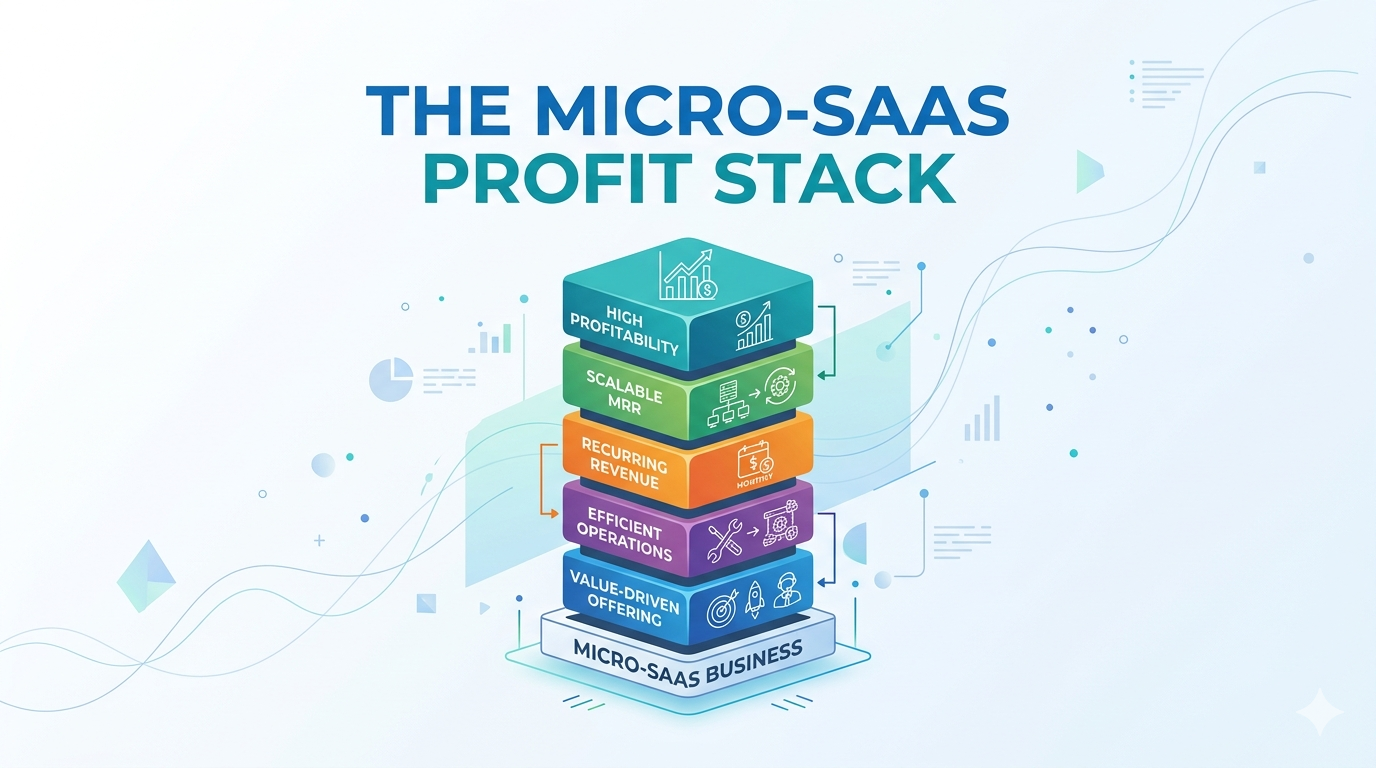
    The Micro-SaaS Profit Stack: Building Multiple Tiny Profitable Tools Instead of One Large App

    Just for a second, imagine you’re trying to build a SaaS product. You’ve got this grand vision of an all-in-one platform that does everything for your niche audience..

    But here’s the thing — that “everything” app is probably going to kill your profitability before you even launch.

    What if building multiple tiny, focused tools actually makes more money than building one complex beast?

    Let me explain the problem with the “one big app” approach most founders fall into. It’s what i call The Complexity Trap — where you keep adding features because “it would be nice to have” or “our competitors have it.”

    Before you know it, you’re spending 80% of your time on edge cases, integrations, and maintaining code that maybe 5% of your users actually use.

    Your development slows to a crawl, your hosting costs creep up, and your profit margins? They get squeezed right out of existence.

    Plus, when something breaks (and it will), the whole app goes down. Not ideal when you’re trying to run a profitable business.

    i’ve seen this happen so many times with talented builders who just couldn’t resist adding “just one more feature.”

    The Profit-Per-Tool Mindset

    Instead of chasing one big product that tries to do everything, think about building a stack of tiny tools — each one laser-focused on solving a single painful problem for a specific group of people.

    Each tool in your stack should be profitable on its own. Not “profitable someday at scale” — profitable right now with a small, dedicated user base.

    Let’s say you’re targeting local contractors. Instead of building one contractor management suite that does estimating, invoicing, scheduling, and CRM.. you could build:

    • A simple job estimating tool that lets contractors create professional quotes in 2 minutes
    • A invoice tracker that sends automatic payment reminders via SMS or email
    • A material cost calculator that updates with local supplier pricing from Home Depot or Lowe’s

    Each solves one problem well. Each can be marketed, sold, and supported independently. And crucially — each can be profitable with just hundreds of customers paying $10-30/month.

    i know what you’re thinking — “but won’t that be more work to maintain multiple tools?” Actually, no. Because each tool is so simple, updates and bug fixes take minutes instead of days. You can literally build and launch a new micro-tool in a weekend using tools like Softr, Airtable, and Stripe.

    Vertical Stacking Within Your Niche

    This is where the personal niche monopoly concept really shines. You’re not just building random tools — you’re building a vertical stack that owns different layers of the same niche workflow.

    Think about it like this: your potential customer has a journey from problem to solution. At each step, there’s an opportunity to provide value with a focused tool.

    For example, in the home services niche:

    1. Lead capture tool – helps contractors get more job inquiries from their website (think simple Typeform or Tally integration)
    2. Estimating tool – turns those leads into professional quotes fast (maybe built with Carrd and Stripe)
    3. Scheduling tool – manages their crew and job timelines (Google Calendar integration + custom interface)
    4. Follow-up tool – automates requests for reviews and referrals (Zapier + Gmail automation)

    Each tool addresses a different stage of the customer journey. You can cross-sell between them naturally (“Hey, since you’re using our estimating tool, you might love our scheduling tool for managing those jobs you just quoted!”).

    And here’s the kicker — when you own multiple touchpoints in your customer’s workflow, you become much harder to replace. They’re not just buying a tool; they’re buying part of their business infrastructure.

    i’ve watched contractors stick with tools for years not because they’re the fanciest, but because they’re deeply embedded in how they run their daily operations.

    The 20x Profit Validation Rule

    Remember from the MVS framework that the goal isn’t 100K signups — it’s 100 paying customers who love what you built. With a micro-SaaS stack, you apply this rule to each tool individually.

    Your validation process looks like this:

    1. Identify one specific, painful problem in your niche
    2. Build the absolute simplest version that solves it (could even be a manually delivered service at first)
    3. Find 20 people who would pay at least 5x what you plan to charge
    4. If you can’t get those commitments, pivot or kill the idea fast

    Let’s say you’re thinking about a tool for coffee roasters to track batch consistency. Instead of building a full-featured roasting log with social sharing, analytics dashboards, and mobile apps.. you start with a simple Google Sheet template that calculates roast deviation percentages.

    You show it to 20 coffee roasters and ask: “Would you pay $10/month for this if it saved you from ruining one batch per month?” If 10+ say yes enthusiastically, you’ve got validation. If not, you iterate or move on.

    This approach keeps your development focused and your risk low. You’re not spending months building features nobody asked for — you’re proving profitability before you write much code at all.

    i like to use Gumroad for quick validation — you can sell access to a Notion template or Airtable base in under an hour and see if people will actually pay for your solution.

    The Flywheel Effect of Multiple Tools

    This ties back to the creator flywheel concept, but applied to your tool stack. Each profitable tool in your portfolio creates opportunities for the others.

    Here’s how it works in practice:

    • Your estimating tool builds an email list of contractors who need job-related solutions (you collect emails with a free quote template)
    • When you launch your invoicing tool, you already have a warm audience to sell to (you email your estimating tool users about the new launch)
    • Those invoicing tool users become ideal customers for your upcoming scheduling tool (they’re already paying you and trust your brand)
    • Each tool launch gets easier because you’re not starting from zero (you have existing customers, testimonials, and case studies)

    Plus, you can bundle your tools strategically. Maybe you offer:

    • Estimating tool alone: $15/month
    • Estimating + Invoicing bundle: $25/month (save $5)
    • Full stack (all 4 tools): $40/month (save $20)

    Suddenly your average revenue per user goes up, your churn goes down (because leaving means giving up multiple tools), and your marketing becomes more efficient.

    It’s not just about having multiple income streams — it’s about creating a portfolio where the whole is worth more than the sum of its parts.

    i’ve seen this work beautifully with niche tools serving specific industries like HVAC technicians, tattoo artists, or food truck owners.

    Real Tools You Can Use Today

    Let’s get practical — here are actual platforms you can use to build and launch these micro-tools without writing complex code:

    For the tool itself:

    • Softr + Airtable – turn a spreadsheet into a functional web app with user accounts and payments
    • Bubble – more powerful but still visual programming for complex logic
    • Carrd + Stripe – for ultra-simple one-page tools with payment processing
    • Notion + Super.so – turn a Notion database into a public-facing tool or directory

    For automation and integrations:

    • Zapier or Make.com (formerly Integromat) – connect your tools to email, calendars, and other services
    • Tally or Typeform – for beautiful lead capture forms that feed into your tools
    • ConvertKit or MailerLite – for email marketing to your tool users

    For validation and sales:

    • Gumroad – sell access to Notion templates, Airtable bases, or simple web tools instantly
    • Lemon Squeezy – handle payments, taxes, and subscriptions for your micro-tools
    • Product Hunt – launch and get early feedback from maker communities

    The beautiful thing is you can start with literally zero coding skills. i’ve seen builders launch profitable micro-tools in under a week using just these platforms.

    • Start with one hyper-specific problem in your niche — not a category of problems (like “invoicing for coffee shops” not “business management for coffee shops”)
    • Build and validate each tool independently using the 20x profit rule before moving to the next (aim for 20 validating conversations per tool)
    • Design each tool to naturally lead to the next in your customer’s workflow (think about what they need before and after using your current tool)
    • Cross-promote between your tools using your existing customer base as a launchpad (email your Tool A users when you launch Tool B)
    • Consider strategic bundling to increase LTV while keeping individual tools simple and focused (offer discounts for buying multiple tools from your stack)

    Building a micro-SaaS stack isn’t about having less ambition — it’s about channeling your ambition into something that actually works. Instead of betting everything on one moonshot app that might never find profitability, you’re creating multiple shots on goal, each with a real chance to pay the bills.

    And the best part? You get to learn, adapt, and improve with each tool you launch. Your first tool teaches you about your niche, your second tool teaches you about pricing and bundling, and by your third or fourth tool, you’ve got a real business — not just a hopeful startup.

    i hope this has helped you see the profit potential in thinking small and stacking smart. Give it a try — your future self (and your bank account) will thank you.

    seeya!